
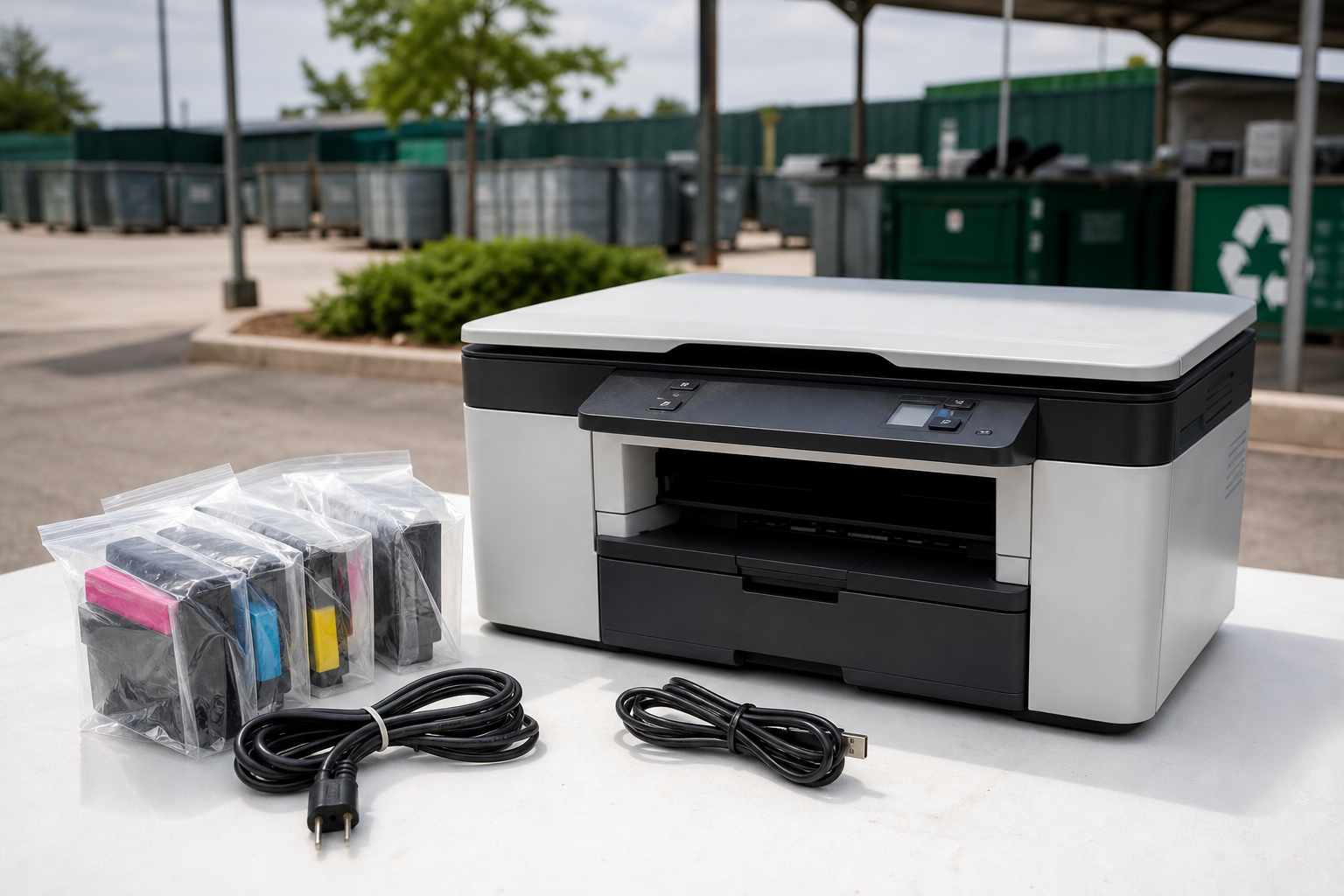
Recycle an old printer through an e-waste, municipal, retailer, manufacturer, donation, or scrap-yard route based on its condition and your priorities. Before drop-off, remove paper and loose accessories, handle ink or toner separately, clear data from multifunction models, and contact Quick Scrap Metal to confirm whether the whole printer or its parts qualify.
The best route depends on whether the printer still works, whether it stores information, how many units you have, and whether convenience or possible payment matters most.
Start With the Printer’s Condition and Your Goal
A working printer is usually a reuse or donation candidate before it becomes a recycling load. A broken, obsolete, incomplete, or uneconomical printer is more likely to belong with an e-waste, municipal, retailer, manufacturer, or scrap-recycling route.
- Working printer: Keep it as a backup, donate it, sell it, or give it away with its cable and trays.
- Outdated printer: Check whether supplies and compatible software remain available. If not, recycling may be more practical.
- Broken printer: Describe the fault honestly and compare e-waste, municipal, retailer, manufacturer, and scrap-yard options.
- Several office printers: Record the number, type, condition, and whether any unit contains internal storage.
- Seeking cash: Ask a buyer about acceptance and payment before loading the vehicle. Recyclable material does not always qualify for payment.
Do not put a printer in ordinary garbage simply because it no longer works. Electronics contain plastics, metals, circuit boards, power supplies, and other components that need an appropriate recycling route.
Old Printer Recycling Options Compared
No single route suits every printer. Choose according to condition, data-security needs, load size, convenience, and whether payment matters.
| Route | Best fit | Main benefit | Confirm first |
|---|---|---|---|
| Reuse or donation | Working printers | Keeps equipment in service | Whether the recipient wants that model and can source supplies |
| Municipal e-waste | Household printers | Uses a public recycling route | Accepted items, hours, quantity limits, and fees |
| Retailer take-back | Eligible consumer printers | Can be convenient | Store-specific acceptance, brands, cartridges, and limits |
| Manufacturer program | Brand-specific equipment or cartridges | Designed for that product line | Model eligibility, shipping, and current terms |
| Electronics recycler | Mixed or office e-waste | Specialized sorting and processing | Whole-printer acceptance, data handling, fees, and pickup |
| Scrap or e-waste yard | Printers bundled with qualifying scrap | May offer one local drop-off and possible payment | Printer, cartridge, battery, quantity, and payment rules |
For questions such as whether a retailer takes old printers, contact the specific store before travelling. Programs, fees, hours, and accepted items can change.
Identify Your Printer Type
Printer design affects preparation, privacy, and transport. Identify the unit before removing anything.
| Type | Preparation point | Question to ask |
|---|---|---|
| Inkjet | Remove paper and loose trays. Keep removable ink cartridges sealed. | Are cartridges accepted with the printer? |
| Laser | Remove paper and loose accessories. Keep toner closed. | How should toner cartridges be packed? |
| All-in-one | Clear scan, fax, network, and stored-job data. | Does it contain internal storage? |
| Commercial or floor-standing | Record size, weight, quantity, and completeness. | Is drop-off suitable, or is advance planning required? |
A working printer may be worth more as equipment than as scrap. A heavy commercial unit also requires different transport planning from a desktop model.
Prepare the Printer Without Unnecessary Dismantling
- Shut down and unplug it. Let it cool and check for exposed wiring, loose covers, leaks, or damage.
- Remove paper and documents. Empty every tray, feeder, and output compartment.
- Collect loose accessories. Set aside power cords, USB cables, adapters, trays, stands, and storage cards.
- Remove ink or toner only as designed. Place removable cartridges in sealed packaging. Do not open toner cartridges.
- Keep the housing intact. Do not cut wires or remove internal parts unless the receiving facility instructs you to do so.
- Secure the load. Keep a desktop printer upright and prevent large units from sliding or tipping.
If ink or toner spills, avoid spreading it through the vehicle and tell the receiving facility. If a battery is swollen, hot, leaking, or damaged, do not puncture, charge, dismantle, or transport it loose. Ask a qualified battery facility for handling instructions.
For broader preparation guidance, see these electronic scrap recycling and data-safety tips. Related reading: electronic scrap recycling near me: items accepted, data safety, and drop-off tips.
Clear Personal and Business Data
Multifunction printers may store scan history, address books, fax records, user accounts, network details, saved jobs, or credentials.
- Save documents and scans you still need.
- Sign out of cloud services and delete address books, email settings, Wi-Fi details, and network credentials.
- Delete stored jobs, histories, and user profiles.
- Use the official manual to perform a factory reset.
- If the device will not power on or contains internal storage, ask your IT administrator or a specialist data-destruction provider about documented sanitization.
If your organization requires a documented chain of custody or data-sanitization record, arrange that service separately before recycling the printer.
Can Quick Scrap Metal Take an Old Printer?
Quick Scrap Metal handles electronics and e-waste categories at its Etobicoke yard and describes cash payments for qualifying scrap metal, appliances, and electronics. The available information does not specifically confirm acceptance of every whole printer, printer model, cartridge, battery, or accessory.
Contact the business with the printer type, brand and model, quantity, condition, missing parts, and included components. Ask whether the whole unit is accepted, whether cartridges should be removed, whether the load qualifies for payment, and whether a commercial quantity needs advance planning.
Any payment can depend on accepted material, grade, cleanliness, attachments, weight, and the current rate. A printer in an electronics load does not guarantee cash payment.
Plan the Drop-Off
Quick Scrap Metal is at 407 Rexdale Blvd, Etobicoke, Ontario. Contact the business before travelling to confirm current printer drop-off hours, acceptance, and any holiday schedule.
Before leaving, confirm printer acceptance and whether the unit should remain intact. Bring the printer securely packed, the components you were told to include, and a note describing the quantity and type of units. If a component is not accepted, use a dedicated municipal, retailer, manufacturer, or electronics-recycling route.
Cartridges, Batteries, and Accessories
- Ink cartridges: Keep them sealed and upright. Ask whether they belong with the printer.
- Toner: Keep cartridges closed and do not crush or shake them.
- Paper: Reuse clean sheets and securely shred confidential pages.
- Cables: Reuse working cables or ask whether they are accepted as electronic scrap.
- Batteries: Never mix loose or damaged batteries into an ordinary printer load.
- Circuit boards: Do not burn, cut, or strip them. Follow the receiving facility’s instructions.
For component-specific guidance, read about safe printed circuit board recycling.
Final Printer Recycling Checklist
- Choose reuse, donation, municipal recycling, retailer take-back, manufacturer, electronics recycler, or scrap-yard inquiry.
- Identify the printer type and quantity.
- Back up and clear stored data.
- Remove paper and loose accessories.
- Separate cartridges and batteries only as directed.
- Keep the printer intact unless instructed otherwise.
- Secure it for transport.
- Confirm acceptance, payment eligibility, and hours before travelling.
If you are in Etobicoke, Toronto, or the GTA, contact Quick Scrap Metal with your printer type, quantity, condition, and components before making the trip. Ask about electronics and e-waste recycling services.