
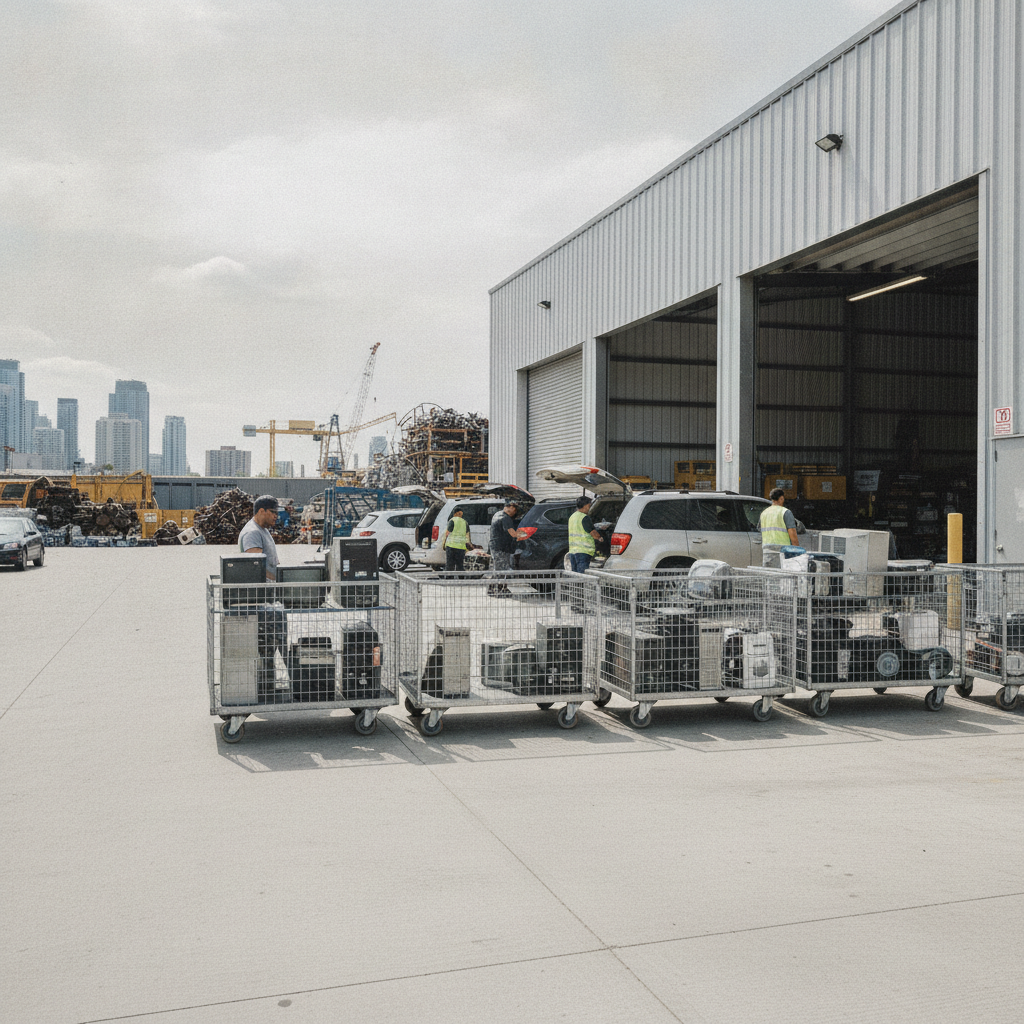
Free electronics recycling is the responsible, no-cost drop-off or take-back of old devices so materials are safely recovered and hazards are contained. It keeps e-waste out of landfills and frees up space at home. At 407 Rexdale Blvd in Etobicoke, Quick Scrap Metal helps Toronto-area residents recycle electronics quickly and correctly.
By Preet Dass • Last updated: June 16, 2026
At a Glance: Overview
Free electronics recycling lets you drop off unwanted devices at no charge, with materials processed for recovery and hazardous parts handled safely. Use local programs, retailer take-back, or a scrap yard drop-off in Etobicoke for fast relief from clutter and peace of mind about environmental compliance.
Here’s what you’ll get from this complete guide and how to use it quickly.
- Understand what counts as e-waste and how free options actually work.
- Follow a simple 7-step drop-off process at our Etobicoke yard.
- Compare programs: municipal, retailer take-back, and scrap yard drop-off.
- See best practices for data wiping, safe packing, and battery handling.
- Use local tips tailored to Etobicoke and the Toronto metro.
- Access resources, checklists, and quick internal guides for computers, TVs, and more.
What Is Free Electronics Recycling?
Free electronics recycling is the no-cost collection and processing of end‑of‑life devices—computers, TVs, printers, phones—so reusable metals and plastics are recovered and hazardous components are safely managed. The goal is simple: protect people and the environment while returning valuable materials to circulation.
Electronics become e-waste when they’re unwanted, non-working, or obsolete. Free programs divert these items from landfills and illegal dumping, and they reduce clutter at home or work.
Common devices accepted (quick scan)
- Computing: desktops, laptops, towers, all‑in‑ones, tablets, keyboards, mice
- Home entertainment: TVs and monitors, DVD/Blu‑ray players, gaming consoles, speakers
- Office gear: printers, scanners, copiers, fax machines, routers, modems
- Small appliances with boards: microwaves, range hoods, smart thermostats
- Cables and accessories: power supplies, extension cords, chargers, HDMI/USB cables
- Batteries: household and rechargeable (often handled under dedicated rules)
At Quick Scrap Metal, electronics recycling is a core service alongside metals and appliances. We accept PCs, TVs, printers, cables, keyboards, PCBs, and more as part of our broad “If it’s metal, we buy it!” operation—making one stop work for mixed loads.
Why Free Electronics Recycling Matters
It matters because electronics contain recoverable metals—copper, aluminum, steel—and hazardous parts like batteries and mercury lamps. Proper recycling prevents fires and contamination while returning pounds of metals to manufacturing, reducing the need for virgin extraction and lowering environmental risk.
Here’s the thing: tossing a laptop isn’t just losing storage space. It throws away metal value and risks battery hazards. A single desktop tower can contain several pounds of steel and aluminum, plus a motherboard rich in recoverable metals.
- Safety: Lithium‑ion batteries can ignite if crushed or punctured. Controlled handling reduces fire risk.
- Resource recovery: Boards and wiring concentrate copper; screens and frames add steel and aluminum.
- Clutter relief: Clearing six to eight legacy devices can free an entire closet shelf.
- Compliance: Many regions restrict landfill disposal of e-waste, steering devices to approved streams.
When working with clients near Etobicoke, we’ve found that pairing an electronics drop‑off with a quick metal clean‑out multiplies results: one trunk‑load can clear 10–15 items while removing safety risks from loose batteries and cords.
How Free Electronics Recycling Works in Etobicoke and Toronto
In Etobicoke and the Toronto metro, you can combine three pathways: municipal collection events, retailer take‑back bins, and a scrap yard drop‑off. Quick Scrap Metal at 407 Rexdale Blvd offers a fast, staffed lane so you unload once and recycle electronics, appliances, and metals together.
Our service footprint spans Etobicoke, Toronto, Mississauga, and Brampton, with extended hours (open Sundays and late weekdays) that fit real schedules. Neighborhood access near HWY 27 & Rexdale keeps drive times short, and staff help sort devices so batteries, boards, and metals go to the right containers.
Local considerations for Etobicoke
- Plan runs around weekend shopping near Woodbine Mall & Fantasy Fair to combine errands with a quick drop‑off.
- Winter loads pack best: keep items dry in lidded bins; cold batteries are more stable during handling.
- For mixed home cleanouts, stage electronics, cables, and small appliances in separate boxes for faster unloading at the bay.
Want a step‑by‑step? The quick process below mirrors our on‑site workflow so you can be in and out in minutes.
The 7‑Step Drop‑Off Process (Fast and Free)
Prepare, pack, and sort at home; then drive to 407 Rexdale Blvd, follow the yard lane, and unload with staff guidance. Keep batteries and cords separate, and wipe data before arrival. Most trunk‑loads finish in about 10–15 minutes, depending on volume and traffic.
- Make a quick list: count devices and group by type (e.g., 2 laptops, 1 TV, 1 printer).
- Back up + wipe: sign out of accounts; see our computer wiping guide.
- Remove batteries: tape terminals on loose lithium cells; bag separately.
- Pack for transport: use sturdy boxes; wrap screens in towels to avoid scratches.
- Label fragile: mark CRTs or glass‑front items for careful handling.
- Head to the yard: our electronics recycling bay is signed; follow staff directions.
- Unload + confirm: we’ll help sort; ask about metals and appliances in the same run.
Tip: Bringing metals too? Combine trips with our scrap metal recycling lane—one visit, multiple wins.
What We Accept at Quick Scrap Metal
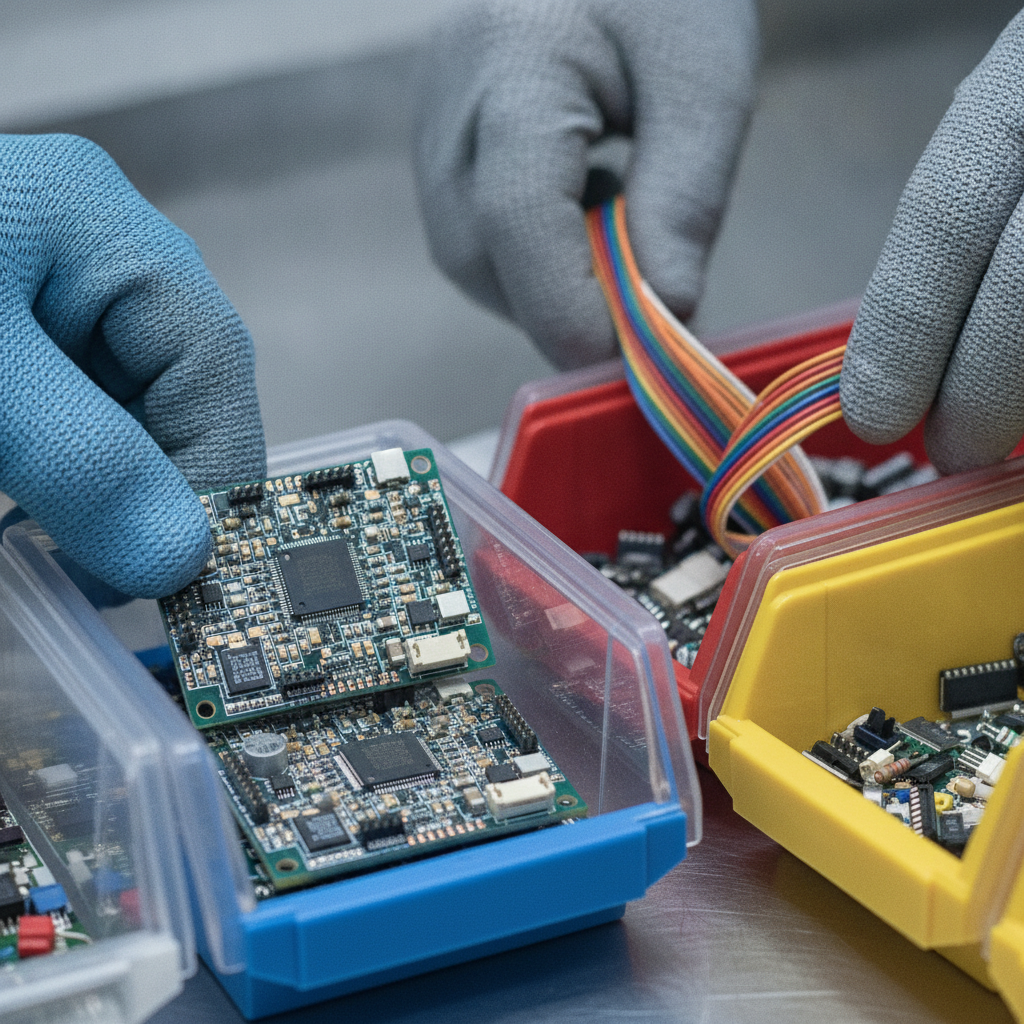
We accept most household and office electronics: computers, TVs and monitors, printers, routers, cables, keyboards, and printed circuit boards. We also take appliances with electronic components—microwaves, range hoods—and mixed cables and power supplies for responsible processing.
Computers and office devices
- Desktops, towers, small form-factor PCs, all‑in‑ones
- Laptops, Chromebooks, tablets
- Printers, scanners, copiers, fax machines
- Routers, modems, network switches
- Keyboards, mice, webcams, headsets
Need data safety basics before you arrive? See our e‑waste recycling guide for account sign‑out and drive removal tips.
TVs, monitors, and entertainment
- Flat‑panel TVs and monitors
- Older CRT televisions and glass monitors (handle with care)
- DVD/Blu‑ray players, game consoles, amplifiers
- Speakers, sound bars, and remotes
For display‑specific advice, check our focused TV recycling guidance before loading your vehicle.
Small appliances + cables
- Microwaves, range hoods, smart thermostats
- Chargers, power bricks, and extension cords
- HDMI, Ethernet, and assorted USB cables
Pro tip: Coiling and bundling 10–15 cables with a twist tie speeds unloading and prevents tangles on site.
Comparison: Free Electronics Recycling Options
Toronto‑area residents typically choose among municipal events, retailer take‑back, and scrap yard drop‑off. Events are calendar‑based; retailers focus on small items; scrap yards accept broad, mixed loads. Choose the path that matches your device mix and timing.
| Option | Best for | Timing | Pros | Considerations |
|---|---|---|---|---|
| Municipal events | Occasional cleanouts; small batches | Set days per year | Official channel; community‑based | Limited dates; lineups possible |
| Retailer take‑back | Small items, phones, batteries | During store hours | Convenient bins; quick stop | Item size limits; device types vary |
| Scrap yard drop‑off | Mixed loads; TVs + computers | Extended hours | Staffed help; broad acceptance | Load/transport by vehicle |
For many households, a Saturday run to our Etobicoke yard clears 8–12 items in one trip—faster than parceling drop‑offs across multiple stores. If you’re also decluttering metals, our junk removal and scrap guide shows how to stage by material.
What “Free” Covers—and Where Limits Apply
“Free” means there’s no charge to drop off eligible electronics for responsible processing. Limits can appear with oversized commercial volumes, specialty handling (like certain CRTs), or off‑site pickup requests. When in doubt, call ahead to confirm your load details.
Free electronics recycling is designed for regular residential and small business volumes. Specialty scenarios—bulk corporate cleanouts, lab equipment, or unusual industrial electronics—may require a coordinated plan so materials travel through the right downstream streams. For clear‑cut residential loads, we keep it simple: unload, sort, done.
- Included: typical household electronics, office gear, TVs/monitors, cables, peripherals
- Ask first: heavy medical/lab devices, commercial racks, mixed hazardous materials
- Separate streams: scrap cars follow automotive rules; see a dedicated provider like Cash for Scrap Cars Ontario for vehicle‑specific requirements.
Best Practices for Safe, Efficient Drop‑Offs
Wipe data, remove or tape batteries, and pack screens upright. Label fragile items and keep cords bundled. These small steps reduce fire risk, speed sorting at the yard, and make your run 20–30% faster from arrival to exit.
Data protection (3 quick layers)
- Sign out: deauthorize services and remove SIMs or memory cards.
- Factory reset: use built‑in options on phones and tablets.
- Physical removal: take out 2.5″/3.5″ drives from desktops/laptops when possible.
For step‑by‑step screenshots, our computer recycling guide walks through backups, resets, and drive pulls.
Battery handling
- Keep lithium batteries cool and dry; never pack under heavy items.
- Tape terminals on loose cells to prevent short circuits.
- Bag batteries separately; tell staff where they are in your load.
Packing and transport
- Stand TVs/monitors upright and cushion corners with towels.
- Distribute weight: one box per 20–30 lb to protect your back.
- Secure with tie‑downs; avoid stacking on glass or screens.
We’ve seen that a few minutes of prep at home can shave 5–10 minutes off your yard time and prevent cracked screens during transit.
Tools and Resources (Checklists + Quick Links)
Use simple checklists to prep devices, label batteries, and bundle cords. Then lean on short, focused guides for computers and TVs. These resources reduce errors, speed drop‑offs, and ensure your data and devices are handled correctly the first time.
- Electronics recycling in Etobicoke: service scope, hours, directions
- E‑waste best practices: what to wipe, pack, and separate
- TV/monitor tips: safe transport and handling
- All scrap metal recycling: combine electronics with metals
If your cleanup also includes a scrap vehicle, compare automotive‑specific steps at this vehicle recycling service page before scheduling a pickup.
Case Examples in the GTA (Real‑World Use Cases)
Residents, trades, and small businesses use free electronics recycling in different ways, but the pattern is the same: bundle devices, sort batteries, and complete one efficient yard visit. Most car‑trunk loads clear 8–12 items, reclaim closet space, and reduce hazards in under an hour end‑to‑end.
Home declutter in Etobicoke
A resident near Flagstaff Park staged two laptops, an LCD TV, a router, and 15 mixed cables. They bundled cords in three groups and taped two phone batteries. The unload took about 10 minutes, and the family reclaimed a full shelf in the hallway closet the same afternoon.
Trades cleanup after renovation
A contractor finishing a small kitchen upgrade grouped a microwave, range hood, and a box of mixed cords. They added three old routers and two keyboards from the homeowner. Everything moved through our electronics and metals streams in a single lane, saving a second trip to a retail bin across town. If you’re working with a local renovation partner, coordinate timing so one load covers both the demo finish and electronics clear‑out; even one consolidated run can save an hour of city driving.
Small office refresh in Toronto
A team replacing monitors and docking stations brought eight displays, seven docks, and four printers. They removed 14 power bricks and taped four loose laptop batteries. With our extended weekday hours, the crew completed the run after work, avoiding workday downtime.
Eco Benefits and Material Recovery
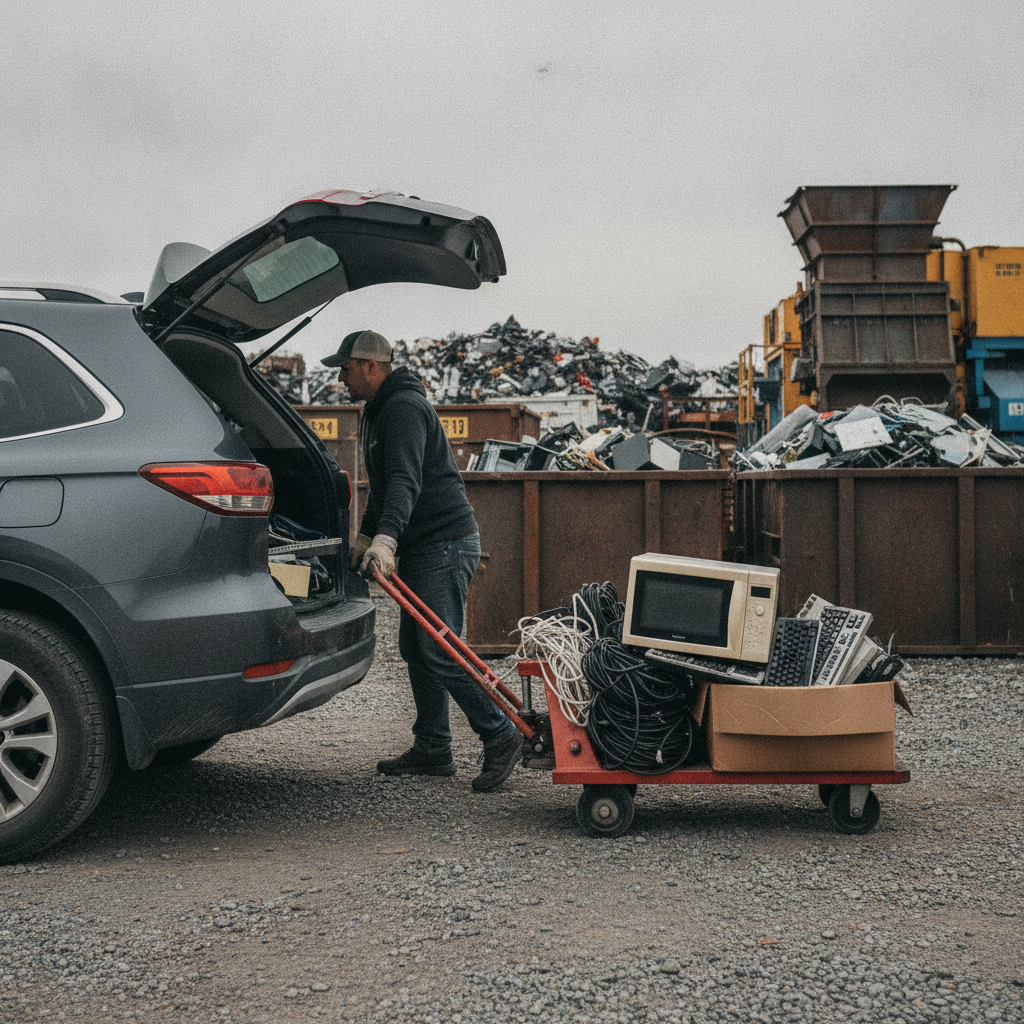
Electronics contain recoverable metals and plastics. Recycling returns copper, aluminum, and steel to manufacturing, reduces demand for new extraction, and keeps hazardous components—lithium batteries, mercury lamps—out of the environment. It’s a practical way to shrink your footprint without extra effort.
Consider the material mix in a typical trunk‑load: a laptop (aluminum and copper wiring), a flat‑panel display (glass, aluminum frame), and a printer (steel chassis, circuit boards). That’s multiple pounds of metal value in just three items. Multiply that across a neighborhood cleanup and the impact adds up quickly.
- Copper value chain: cords and boards concentrate copper; proper separation boosts recovery quality.
- Aluminum frames: light yet strong, aluminum returns to casting/extrusion streams.
- Steel hardware: brackets, screws, and cases recycle through ferrous channels.
If you also have non‑electronics metals, our metal recycling lane takes everything from extension cords to small appliances—one trip, multiple recovered streams.
Data Security Basics (Simple and Effective)
Log out, factory reset, and remove drives where possible. These three steps protect your personal information with minimal effort. If you’re unsure, bring the device as‑is and ask our team which quick action makes the most sense before you unload.
- Phones/tablets: sign out of iCloud/Google; run a factory reset; remove SIMs.
- Desktops/laptops: back up; remove the 2.5″/3.5″ drive if accessible.
- Routers/smart gear: reset to factory defaults to clear stored credentials.
For detailed walkthroughs and screenshots, head to our computer recycling guide before your visit.
Frequently Asked Questions
These concise answers address the top questions residents and businesses ask before drop‑off—what’s accepted, how to handle data and batteries, and how fast the process takes. Scan these before loading your car to save time on site.
Is electronics recycling really free at your Etobicoke yard?
Yes—eligible household and small‑business electronics can be dropped off at no charge for responsible processing. Oversized commercial volumes or specialty items may require a coordinated plan. Call ahead if your load is unusual.
Do I need to wipe my devices before I arrive?
We recommend signing out, factory resetting, and removing drives when possible. Our step‑by‑step computer guide shows exactly how. If you’re unsure, ask our team before unloading.
Which electronics are accepted for free recycling?
Most common devices: computers, TVs/monitors, printers, routers, cables, keyboards, and printed circuit boards. Bring batteries in a separate bag with terminals taped. If you have specialty items, call first.
Can I drop off metals and appliances in the same trip?
Yes. We’re a one‑stop drop‑off for electronics, appliances, and scrap metal. Use our electronics lane and ask staff about the metals lane to complete both in a single visit.
What about scrap vehicles—are those part of free electronics recycling?
Vehicles follow separate automotive rules. For pickups and documentation, review a dedicated provider like Cash for Scrap Cars Ontario or call us to discuss your options.
Key Takeaways
Bundle electronics, wipe data, and keep batteries separate. Choose the fastest channel—often a staffed scrap yard drop‑off—so you can clear 8–12 items in one run. Combine with metals and small appliances to reclaim space and reduce hazards in a single, efficient trip.
- Free electronics recycling keeps metals in circulation and hazards out of landfills.
- Quick Scrap Metal offers extended hours and broad acceptance at 407 Rexdale Blvd.
- Prep steps—data wipe, battery tape, cord bundling—cut time on site.
- Compare municipal events, retailer bins, and scrap yard lanes for the best fit.
Next Steps
Gather devices, wipe data, and pack your trunk. Then head to our Etobicoke yard during extended hours for a fast, guided unload. One visit clears electronics, metals, and small appliances with a single, streamlined process.
Ready to free up space today? Visit our electronics recycling page for hours and directions, or pair your run with scrap metals via our all‑metals lane. Planning a cleanout? Community service centers such as this Etobicoke location sometimes host neighborhood cleanup days—great milestones to aim for when scheduling your own home purge.
Have a mixed load or specialty items? Call our team before you drive over. We’ll confirm acceptance and suggest the fastest lane so your visit stays under 20 minutes.