
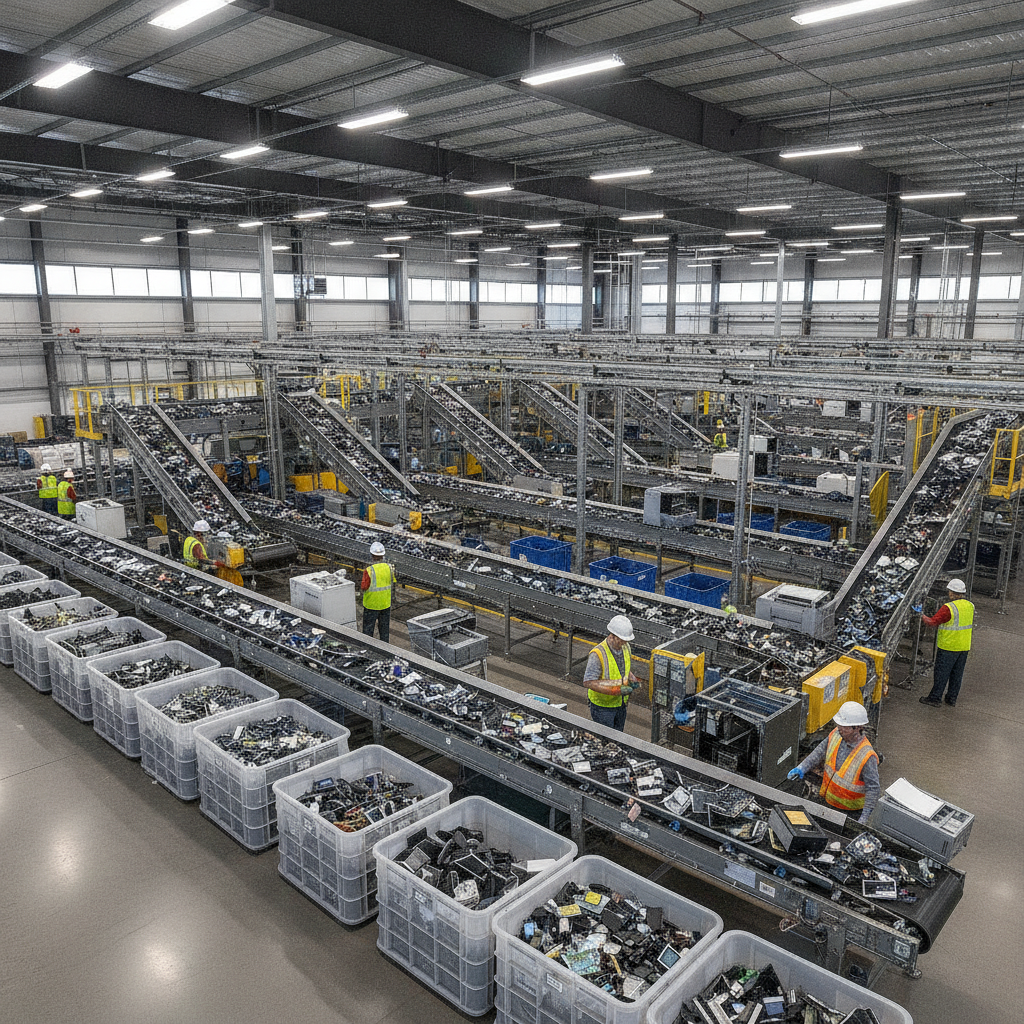
E-waste recycling is the responsible collection and processing of old electronics to recover metals and plastics while keeping toxins out of landfills. At 407 Rexdale Blvd in Etobicoke, Quick Scrap Metal makes e waste recycling simple for Toronto homes and businesses with fast drop-off, secure handling, and acceptance of common devices like computers, TVs, and cables.
By Preet Dass • Last updated: June 13, 2026
Quick Summary
If you have old electronics, bring them to Quick Scrap Metal for safe e-waste recycling. Back up and wipe data, remove batteries, pack devices to prevent damage, and sort cords and accessories. Our Etobicoke yard accepts computers, TVs, small appliances, cables, and more—helping you clear space while recycling materials responsibly.
Here’s what you’ll get from this complete guide and how to use it fast.
- What counts as e-waste and why it matters for health, space, and sustainability
- How our Etobicoke/Toronto drop-off process works, step by step
- Best practices for data wiping, safe packing, and faster unloading
- A comparison of drop-off, take-back, and mail-in options
- Local tips for Etobicoke near HWY 27 & Rexdale
What Is E‑Waste Recycling?
E-waste recycling is the managed recovery of materials from discarded electronics—like computers, TVs, phones, and cables—so metals and plastics can be reused and hazardous substances don’t enter landfills. It involves intake, safe dismantling, material sorting, and downstream refining. Proper handling prevents pollution and supports a circular economy.
Let’s make the definition practical for your home or business in the GTA.
- E-waste includes: desktops, laptops, tablets, phones, TVs/monitors, printers, keyboards, mice, game consoles, cables/wire, small appliances with cords, and PCBs.
- Not just “gadgets”: many household devices contain circuit boards, batteries, or wiring. That’s why items like microwaves and range hoods matter too.
- Two outcomes: reusable components are harvested; non-reusable parts are separated into metals, plastics, and glass for refining.
- At Quick Scrap Metal: we accept computers and laptops, televisions and monitors, keyboards and peripherals, printed circuit boards (PCBs), cables and wire, batteries, microwaves, dishwashers, and more as listed in our services.
When electronics are recycled, valuable materials like copper, aluminum, steel, and even trace precious metals are recovered for new manufacturing. The result is less mining, less waste, and a cleaner community.
Why E‑Waste Recycling Matters
Recycling electronics protects health and the environment, frees up space at home and work, and safeguards your data. Many devices contain batteries and circuit boards that shouldn’t go in the trash. Turning them in at a trusted Etobicoke yard keeps harmful materials out of landfills and returns metals to productive use.
From our team’s standpoint, three drivers come up again and again.
- Environmental protection: circuit boards and batteries can contain substances that shouldn’t sit in general waste streams. Managed recycling keeps them contained and processed correctly.
- Resource efficiency: recovering copper, aluminum, steel, and plastics reduces the need for new raw extraction. Reuse beats disposal every time.
- Data security: computers and phones can hold personal or business data. Wiping or removing storage is essential before drop-off.
Here’s the thing—clutter relief is a major benefit. One cleanout can remove dozens of old cords, peripherals, and retired devices. Our yard design makes unloading straightforward so you can reclaim space in a single trip.
How E‑Waste Recycling Works (Step‑by‑Step)
Successful e-waste recycling follows a clear flow: intake and weighing, safe data handling, manual dismantling, material separation, and shipment to refiners. At Quick Scrap Metal in Etobicoke, we streamline drop-off so you can unload fast while we ensure compliant, responsible downstream processing.
Below is a simple step-by-step you can follow today.
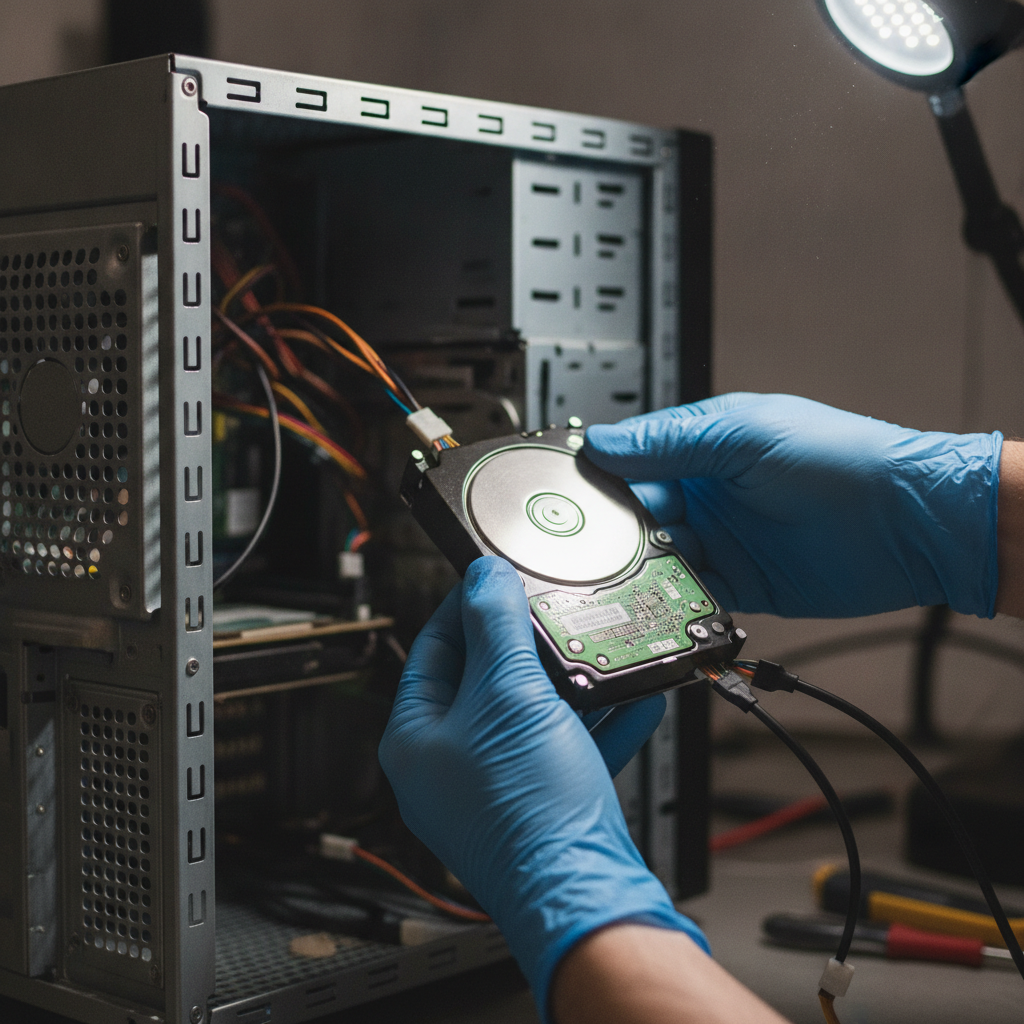
- Prepare at home: back up files, log out of accounts, factory reset devices, and remove or isolate batteries. Coil cords with a twist tie.
- Sort and pack: place laptops, towers, and monitors in sturdy boxes. Cushion screens. Bag small cables and accessories together.
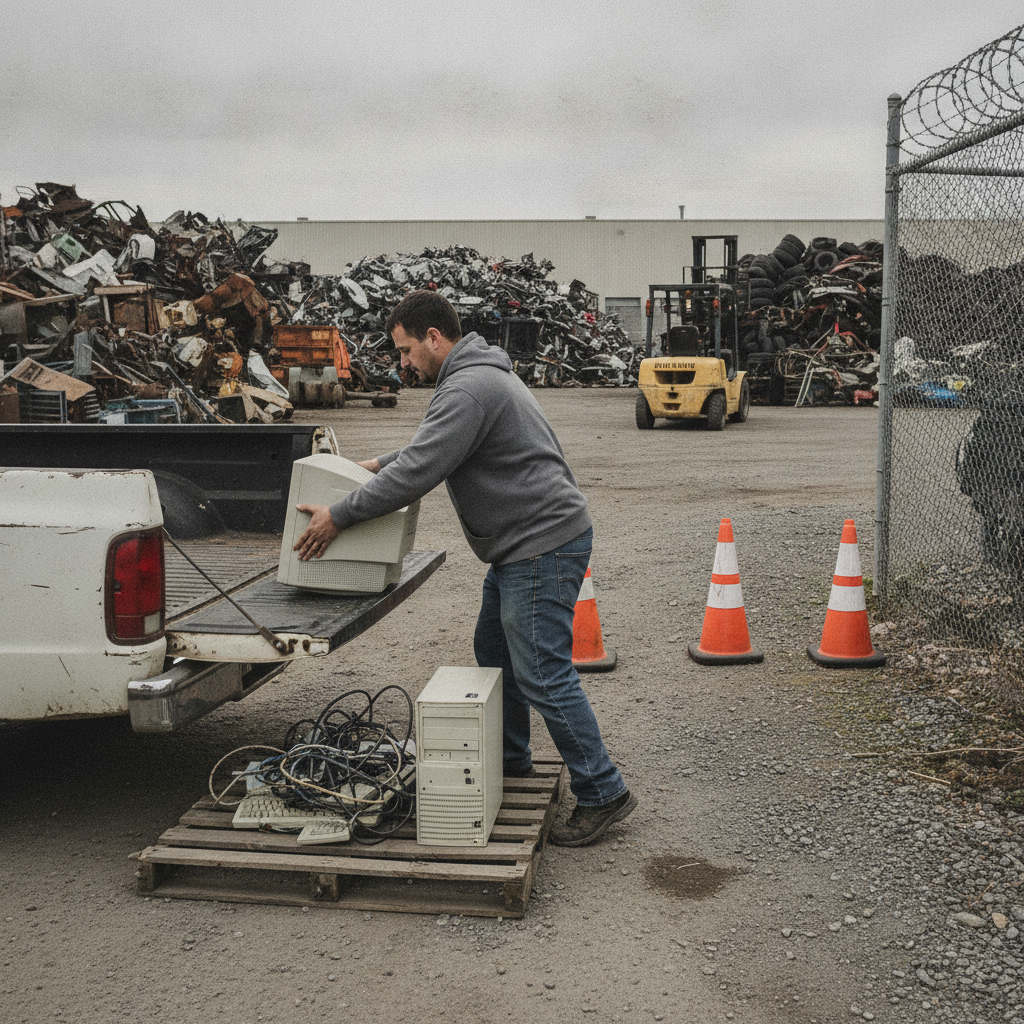
- Arrive and unload: drive to 407 Rexdale Blvd. Our layout makes it easy to pull in, confirm items, and unload with guidance.
- Assessment and sorting: we separate devices by type—computers, TVs, small appliances, cables, batteries, and boards—readying them for component recovery.
- Downstream processing: dismantled materials move to specialty processors for shredding, smelting, and plastics regrind, which re-enters manufacturing.
Want a quick visual and a reminder for data safety? Our electronics recycling services page outlines accepted items and the simplest way to prep your load for a faster visit.
What We Accept at the Yard
- Computers and laptops: towers, small form factor PCs, all-in-ones, notebooks, Chromebooks.
- Televisions and monitors: LCD, LED, and older units.
- Peripherals: keyboards, mice, printers, game consoles, routers, modems.
- Cables and wire: extension cords, ethernet, HDMI, power cables, and low-voltage wire bundles.
- Batteries: household types and certain rechargeable formats (tape the terminals).
- Small appliances with cords: microwaves, range hoods, dishwashers, and more.
- Boards and components: PCBs, power supplies, fans, and heatsinks.
For device-specific help, check our quick primers on computer recycling and TV recycling in Etobicoke.
Simple Process Table
| Stage | Your Part | Our Part | Outcome |
|---|---|---|---|
| Prep | Wipe devices, remove batteries, pack safely | Provide guidance online and on-site | Faster intake and safer handling |
| Intake | Unload at 407 Rexdale Blvd | Verify categories, route to sorting | Right stream for each item |
| Dismantle | — | Remove storage, fans, boards, wiring | Recoverable components isolated |
| Separate | — | Sort metals, plastics, glass | Ready for refining |
| Refine | — | Ship to specialty processors | Materials return to manufacturing |
Types of E‑Waste Programs (Compared)
You can recycle electronics through scrap yard drop-off, manufacturer retail take-back, municipal depots, or mail-in programs. Scrap yard drop-off is fastest for mixed loads; take-back suits specific brands; depots cover a broad range; mail-in helps remote users. Choose based on convenience, accepted items, and timing.
Below is a quick comparison to help you decide what’s best for your situation.
| Option | Convenience | Accepted Items | Turnaround | Data Responsibility | Payout |
|---|---|---|---|---|---|
| Scrap yard drop-off (Quick Scrap Metal) | Drive-in, unload fast | Broad: computers, TVs, cables, small appliances, PCBs | Same-day drop-off | You wipe before arrival | Varies by item category |
| Manufacturer/retail take-back | Good for brand-specific gear | Narrower; often brand-only | Drop-off during store hours | You wipe before drop | Usually none |
| Municipal depots | Reliable, scheduled | Moderate to broad | Event or appointment-driven | You wipe before drop | Typically none |
| Mail-in programs | Best for remote areas | Usually small electronics | Ship, then wait | You wipe and pack | Rarely |
For mixed electronics and small appliances, unloading at our Etobicoke yard is often the smoothest route. If your load includes a retired vehicle, local auto recyclers can complement your trip; see a regional example of accepted materials for vehicles.
Best Practices for Drop‑Offs and Data Safety
Back up, sign out, and factory reset devices. Remove storage or encrypt and wipe drives. Tape battery terminals, pack monitors with padding, and bag cables by type. Sort laptops, towers, TVs, and small appliances into separate boxes for a quicker intake at our Etobicoke location.
Data Protection Checklist
- Back up first: cloud, external drive, or NAS.
- Sign out of accounts: email, messaging, browsers, and license keys.
- Factory reset: use built-in reset tools on phones, tablets, and modern laptops.
- Drives: remove HDDs/SSDs from desktops where practical, or use reputable wipe utilities.
- Peripherals: unpair Bluetooth devices; clear Wi‑Fi settings on routers.
Safe Packing and Transport
- Monitors/TVs: pad screens; place upright; don’t stack heavy items on top.
- Batteries: tape terminals; keep in separate bag or container.
- Cables: coil and rubber-band by type; label if needed.
- Small appliances: remove loose trays, shelves, or detachable pieces.
- Weather plan: keep items dry; use plastic totes or bags if rain is in the forecast.
If you’re handling a full garage cleanout, our team can help you stage your load so unloading takes just a few minutes. For mixed household materials, see our guidance on scrap yard junk removal best practices.
Tools and Resources You Can Use
Use your device’s built-in reset tools, reliable data-wipe utilities, and sturdy moving supplies like boxes, padding, and zip-top bags. For local guidance, review our service pages for accepted items and prep tips, then plan your route to our Etobicoke yard for a fast drop-off.
Here are practical resources our customers rely on.
- Local service info: Scan our electronics recycling center guide for an overview and directions.
- Accepted items and tips: Read the electronics recycling services page to prep your load.
- Device-specific help: Use the computer recycling guide and the TV recycling guide.
- Scrap metal synergy: If your drop includes metal fixtures or appliances, check all scrap metal recycling to streamline everything in one trip.
- Vehicle retirement: Planning the electronics cleanout with a car retirement? A regional auto recycler like Cash for Scrap Cars Ontario shows how vehicle pickups pair with yard drop-offs.
Real‑World Examples from Etobicoke and the GTA
Quick Scrap Metal serves households, trades, and small businesses across Etobicoke and Toronto. Typical loads include 2–4 computers, a TV, a printer, bundles of wire, and small appliances. With items prepped and sorted, most customers unload efficiently and leave with clear space and the peace of mind that materials are recycled responsibly.
Household Cleanout
- Scenario: A family clearing a basement brings two old laptops, a desktop tower, a flat‑screen TV, a microwave, and a tote of mixed cables.
- Approach: They reset devices, bag cords by type, and pad the TV. Intake takes minutes, and sorting is straightforward.
- Outcome: The family frees up shelf space and consolidates electronics and small appliances in one trip.
Tradesperson Offcuts
- Scenario: An electrician drops bundled low‑voltage wire, extension cords, retired routers, and a bin of power-tool chargers.
- Approach: Coiled and labeled wire speeds sorting; chargers and small devices go in a separate box.
- Outcome: Quicker turnaround and better material recovery from pre-sorted loads.
Small Business IT Refresh
- Scenario: A retail office upgrades 12 laptops, 3 small form factor PCs, a few access points, and point‑of‑sale peripherals.
- Approach: The manager exports settings, factory‑resets devices, and removes storage where practical.
- Outcome: Clean, documented handover and fast unloading at the yard.
Local Guide: Etobicoke & Toronto Drop‑Off Tips
For Etobicoke and Toronto residents, Quick Scrap Metal’s yard near HWY 27 & Rexdale offers simple access and extended hours, including Sundays. Aim for mid‑morning windows, sort devices at home, and secure batteries. The result is a safe, quick visit and responsible recycling for your neighborhood.
Use these locality‑specific tips to make your visit even smoother.
- Timing windows: Mid‑morning and early afternoon often move fastest. Late weekday hours help if you’re coming after work.
- Route planning: Stage your load so heavier items come out first. Keep a separate container for batteries and small accessories.
- Bundle errands: Pair electronics drop‑off with other recycling or a scrap metal run to finish everything in one loop.
Local considerations for Etobicoke
- Avoid peak shopping weekends near Woodbine Mall & Fantasy Fair; plan early or mid‑week for faster yard flow.
- Winter drop‑offs: keep devices dry and pre‑packed indoors; moisture can complicate intake and handling.
- Trade pros: pre-bundle cables and label spools by gauge so our team can route materials efficiently on arrival.
Scrap Metal + E‑Waste: One Trip, More Space
Electronics often show up with scrap metal and small appliances. Consolidating the load saves time. Our yard accepts cables and wire, microwaves, range hoods, dishwashers, and mixed metals alongside e-waste, so you can clear multiple categories in one visit without separate stops.
Many readers ask how to handle mixed loads. Here’s a simple way to combine categories safely.
- Separate by type: electronics with boards, cables/wire, batteries, and metal-only items.
- Use two staging areas: one for items with screens or storage; another for pure metal or corded appliances.
- Keep fragile front-of-vehicle: monitors/TVs upright and cushioned near the door for gentle unloading.
- Ask on arrival: our team can direct you to the right zones to speed sorting and recovery.
Planning a broader cleanout? Our scrap metal recycling overview explains how metals fit into the picture so you can make one efficient trip.
Frequently Asked Questions
These quick answers cover data safety, accepted items, preparation tips, and what to expect when you arrive at our Etobicoke yard. Each reply is direct so you can plan your drop-off with confidence and finish your visit in minutes.
What should I do before dropping off a computer?
Back up files, sign out of accounts, and factory reset. If you can, remove the hard drive or run a reputable wipe utility. Pack the computer in a sturdy box and keep cables together to speed intake.
Do you accept TVs and monitors?
Yes. We accept LCD, LED, and other monitors and TVs. Please pad the screen, keep units upright, and avoid stacking heavy items on top during transport. Our team will guide you on unloading.
How should I handle loose batteries?
Place batteries in a separate container or bag and tape the terminals to prevent contact. Keep them dry and away from sharp objects. Bring them to the yard with your electronics for safe handling.
Can I bring metal appliances with my e-waste?
Yes. Many customers combine electronics with corded appliances and mixed metals. Sort items by category—electronics, cables, batteries, and metal-only goods—so we can route each stream quickly on arrival.
Key Takeaways
Prep devices, separate batteries, and sort by category for the fastest e-waste recycling experience. Quick Scrap Metal’s Etobicoke yard accepts a wide range of electronics and small appliances, helping Toronto residents and businesses clear clutter and recycle responsibly in a single visit.
- Back up, sign out, and reset devices before arrival.
- Pad screens, bag cables, and tape battery terminals.
- Sort electronics, cables, batteries, and metal-only items into separate boxes.
- Leverage extended hours to avoid rushes and bundle recycling in one trip.
- Check service pages for accepted items and quick prep tips.
Next Steps
Gather your retired electronics, prep them using the checklists above, and plan a quick route to 407 Rexdale Blvd. Review accepted items on our service pages, then swing by during extended hours—even Sundays—to complete your drop-off without hassle.
- Review accepted items and prep steps on our electronics recycling services page.
- Bundle metal items and small appliances using our scrap metal recycling guide.
- Plan your device-specific handoff with these quick reads: computers and TVs.
Ready to go? Visit our yard at 407 Rexdale Blvd, Etobicoke. If you’re coordinating a vehicle retirement alongside electronics, regional services like this auto recycler can complete the picture the same day.
Book a quick drop-off window in Etobicoke: Have questions about accepted items? Call or stop by—our team will help you finish in one efficient visit.