

To recycle electronics, bring old devices to a qualified e-waste recycler that safely removes batteries, wipes data, and recovers metals and plastics. At 407 Rexdale Blvd in Etobicoke, Quick Scrap Metal offers convenient, fast drop-off so you can recycle electronics without hassle and keep harmful components out of Toronto landfills.
By Preet Dass • Last updated: 2026-06-17
Above-Fold Summary and TOC
This guide shows you exactly how to recycle electronics in Etobicoke and the Toronto area. You’ll learn what counts as e-waste, how to prep devices, safe battery handling, where to drop off locally, and what happens to materials after collection. Use the quick steps and checklists to make your next drop-off frictionless.
- You’ll learn: What e-waste includes, how to prep and pack, safe battery rules, and where to drop off.
- Why it matters: Prevent fires, protect data privacy, and keep valuable metals in circulation.
- Local help: Fast, organized drop-off at Quick Scrap Metal’s electronics recycling center at 407 Rexdale Blvd.
- What is electronics recycling?
- Why electronics recycling matters
- How local drop-off works (Etobicoke/Toronto)
- Where to take electronics (options compared)
- Best practices to prep and transport
- Tools, checklists, and resources
- Real examples from the GTA
- FAQ
What Is Electronics Recycling?
Electronics recycling is the collection, dismantling, and material recovery of devices like computers, phones, TVs, and small appliances. Trained teams remove batteries and hazardous parts, then reclaim copper, aluminum, plastics, and glass for manufacturing. Done right, it prevents pollution, protects data, and feeds a circular economy for critical materials.
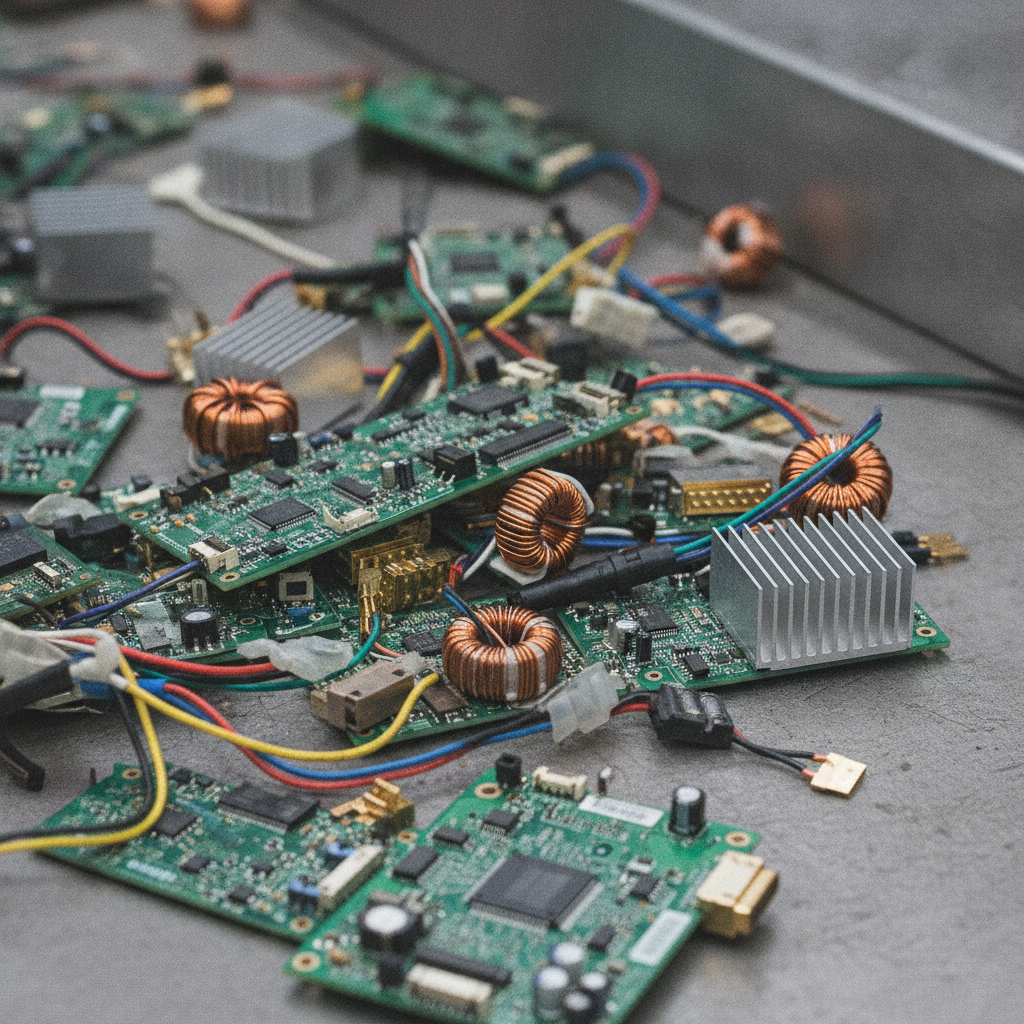
When you recycle electronics, you’re moving devices through a controlled process that separates what’s reusable from what needs special handling. Batteries, screens, and circuit boards are triaged first. Metals such as copper wiring and aluminum heat sinks are recovered; plastics and glass are sorted by grade. Many devices also contain trace precious metals that can be refined for industry.
- Covered items: Computers, laptops, tablets, phones, printers, displays, cables, routers, small appliances.
- Key materials: Copper, aluminum, steel, plastics, glass, and small amounts of precious metals.
- Hazard controls: Lithium batteries, CRT glass, mercury lamps, and capacitors require trained handling.
- End result: Recovered commodities re-enter manufacturing; hazards are neutralized or processed safely.
In our experience handling mixed loads in Etobicoke, a single household drop-off often includes two laptops, a bundle of chargers, one tablet, an old router, and a box of cables—exactly the kind of mix our team is set up to process quickly.
Why Recycling Electronics Matters
Recycling electronics reduces fire risks from damaged lithium batteries, safeguards your personal data, and keeps lead- and mercury-bearing parts out of soil and water. It also returns valuable metals to manufacturing, reducing the need for new mining and supporting resilient local supply chains.
Here’s why this isn’t just “nice to do” but essential:
- Safety: Damaged or loose lithium batteries can short-circuit and overheat; proper handling and isolation prevent incidents.
- Privacy: Phones and computers store personal and business data—factory resets and drive removal protect you.
- Environment: Recovered copper and aluminum reduce extraction impacts; hazardous components are contained.
- Space and order: Clearing obsolete tech reduces clutter and makes future upgrades simpler.
Take one quick example: a cracked tablet with a swollen battery. Tossing it in the trash is risky and often illegal. Bringing it to a recycler ensures the battery is isolated, the data is wiped or the device depopulated, and the materials go to approved processors.
For a deeper introduction to categories and accepted items, skim our e-waste recycling guide and confirm what you can bring in one trip.
How Electronics Recycling Works in Etobicoke and Toronto
In Etobicoke and across Toronto, drop-offs at 407 Rexdale Blvd follow a simple flow: arrive, declare your items, isolate batteries, and unload at guided bays. Staff triage devices, pull hazardous parts, and consolidate boards, metals, plastics, and glass for approved downstream processors.
Here’s the on-site flow our team uses to keep visits fast and safe:
- Arrive and park safely: Follow yard signage. Our team directs you to the unloading area.
- Declare and isolate: Let us know if you have lithium batteries or cracked screens. We’ll isolate hazards first.
- Data security: If you brought loose hard drives, we’ll route them for secure handling or advise on removal.
- Sorting: Devices, cords, and accessories are separated. Batteries and lamps move to safe containers.
- Consolidation: Boards, steel, aluminum, and plastics are palletized for approved processors.
- Wrap-up: You’re on your way with storage space freed up—often in minutes.
Most household loads fit in the trunk: two laptops, a 24–32″ monitor, a shoebox of cords, and a few phones. Larger TVs or multiple desktops? Give us a heads-up and we’ll streamline check-in.
Local considerations for Etobicoke
- Plan your timing: Weekend traffic near Woodbine Mall & Fantasy Fair can get busy. Weekday afternoons tend to be smoother.
- Winter handling: Use stackable bins and keep batteries warm and dry to avoid condensation and slippage on icy days.
- Extended hours: We’re open late on weekdays and on Sundays, so you can combine electronics with other scrap drop-offs in a single trip.
Types, Methods, and Where to Take Electronics
You can recycle electronics at scrap yards, retailer take-back counters, manufacturer mail-backs, municipal collection events, and certified recyclers. Pick the route that fits your timing, item type, and data needs. For fast local drop-offs, our Etobicoke yard handles common household and small-business e-waste.
Common pathways
- Local scrap yard drop-off: Quick, staff-guided unloading; ideal for mixed loads from homes or small offices.
- Retailer take-back: Good for small devices and accessories during store hours.
- Manufacturer mail-back: Works for specific brands; useful when you can’t visit in person.
- Municipal events: Periodic collection days for TVs, monitors, and household electronics.
- Certified recyclers: Best for larger volumes, business compliance needs, or serialized asset tracking.
Donation vs recycling
- Donate when devices work: Working laptops and monitors can extend life in schools or nonprofits.
- Recycle when unsafe or obsolete: Cracked screens, swollen batteries, or unsupported hardware should be recycled.
Comparison: Which option fits your situation?
| Option | Best for | Data handling | Typical items | Speed |
|---|---|---|---|---|
| Local scrap yard | Mixed household/office loads | On-site drive removal guidance | Laptops, PCs, cables, small appliances | Fast (minutes) |
| Retailer take-back | Small devices, accessories | Device resets (varies) | Phones, earbuds, chargers | Moderate |
| Manufacturer mail-back | Brand-specific returns | Program-specific | Phones, tablets, wearables | Slower (shipping) |
| Municipal collection | Large items, TVs | Event-based | TVs, printers, monitors | Event days |
| Certified recycler | Business compliance | Certificates, asset logs | Bulk IT equipment | Scheduled |
Not sure which route to take? Start with our quick overview of accepted items on the electronics drop-off centers page, or call our yard and tell us what’s in your bin.
Best Practices to Prep and Transport E-Waste
Back up, sign out, and factory reset devices. Remove and isolate batteries. Bundle cables, label fragile screens, and use stackable bins. Keep batteries upright and cool, and never crush or puncture them. At the yard, declare hazards first so staff can isolate them immediately.
Data hygiene (fast and safe)
- Back up: Save photos and documents to a cloud drive or external disk.
- Sign out + deauthorize: Email, messaging, streaming, device management.
- SIM/SD removal: Pull cards from phones, cameras, and tablets.
- Factory reset: Use built-in reset tools; encrypt computers before resetting when possible.
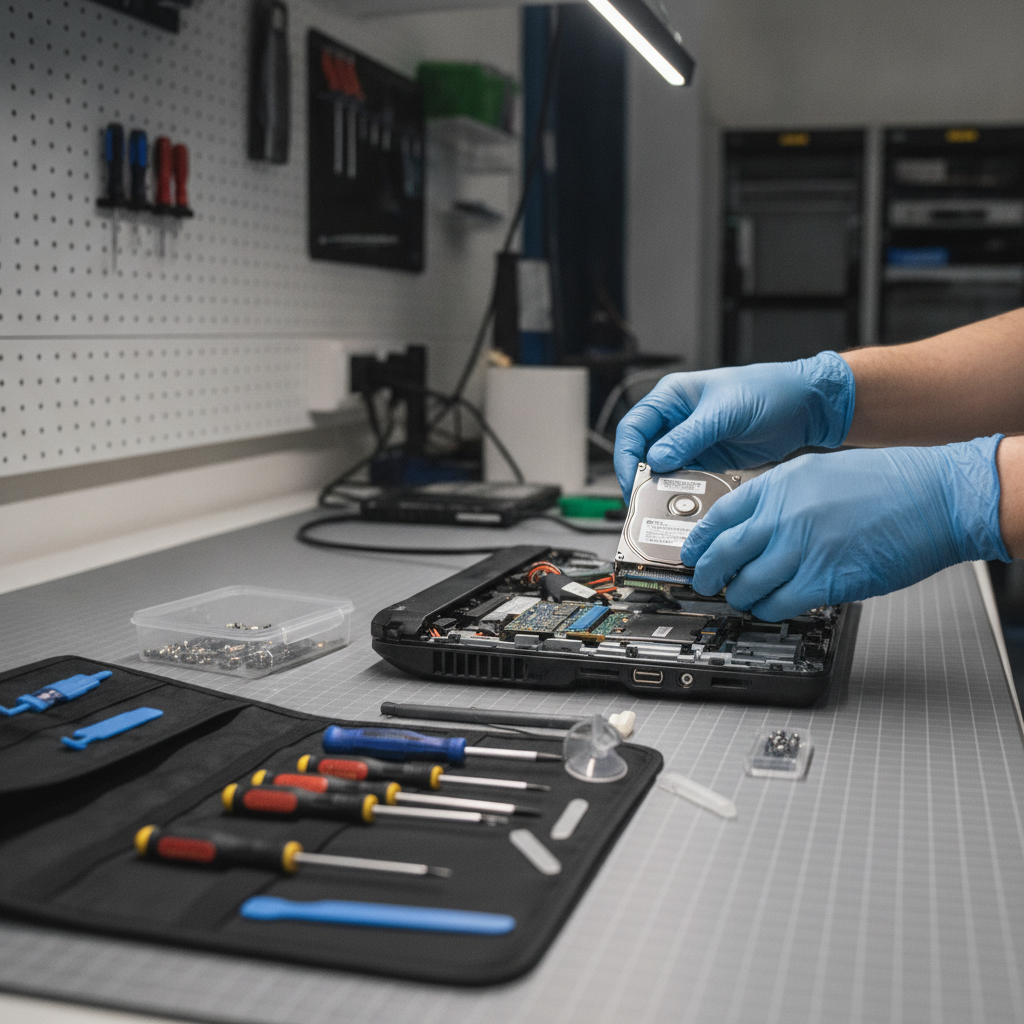
- Hard drives: Remove 2.5″/3.5″ drives if you prefer to retain or destroy them separately.
Battery safety (non-negotiable)
- Isolate each battery: Place in individual bags or tape terminals to prevent short circuits.
- Do not crush or puncture: Damaged lithium cells can overheat rapidly.
- Transport cool and upright: Keep away from car heaters and direct sun.
- Declare at arrival: Tell yard staff about any loose or swollen batteries.
Packing that saves time
- Stackable bins: Group by type—laptops, cords, small devices—so unloading is quick.
- Screen protection: Use towels or cardboard between monitors and TVs.
- Cable management: Bundle cords with twist ties; bag chargers by device family.
- Labeling: A sticky note like “erase done” or “battery removed” speeds triage.
Want a deeper dive? Our computer recycling guide walks you through step-by-step drive handling and reset tips.
Tools and Resources (Checklists You Can Use Today)
Use a simple two-list system before any drop-off: a data-wipe checklist and a packing checklist. Confirm accepted items and hours on the recycler’s site. For special cases like scrap vehicles or hauling help, review reputable local resources for safe handling practices.
Data-wipe checklist
- Back up files (photos, docs, passwords)
- Sign out of accounts (email, cloud, messaging)
- Remove SIM/SD cards
- Encrypt and factory reset (computers/phones)
- Remove or label hard drives for separate handling
Packing checklist
- Remove and bag each battery
- Bundle cables and chargers by device
- Protect screens with cardboard or towels
- Use stackable bins; label fragile items
- Keep batteries cool and upright
For broader context on eco-friendly disposal and hauling best practices, see a practical overview of greener junk removal approaches. If you’re thinking about retiring a vehicle alongside electronics, skim example auto recycling services and their contact guidance to understand typical preparation steps and safety considerations.
When you’re ready, get exact local directions and accepted items on our electronics recycling services page. You can also learn where TVs and larger screens fit in our TV recycling center guide.
Real-World Examples from the GTA
Households, contractors, and offices clear clutter fast by routing mixed tech to a single drop-off. With batteries isolated and data wiped, materials move safely into reuse and recycling streams—freeing storage space and avoiding risky curbside disposal.
Household: Basement cleanout in Etobicoke
- Scenario: Two laptops, an inkjet printer, a VCR/DVD combo, a 27″ LCD, and a shoebox of cords.
- Action: Factory resets done, batteries bagged, cords bundled in bins.
- Outcome: 10-minute unload at our yard; metals and boards consolidated for processing.
Small contractor: Renovation offcuts in Toronto
- Scenario: Old thermostats, a box of cables, range hood electronics, and small appliances from a demo.
- Action: Hazard items declared on arrival; batteries isolated.
- Outcome: Quick triage; contractor combined electronics with scrap metal recycling in one trip.
Micro office: Refresh cycle in the GTA
- Scenario: Four desktops, six laptops, a box of keyboards/mice, and UPS batteries.
- Action: Drives removed and labeled; lithium batteries bagged.
- Outcome: Staff guided unloading; devices and batteries routed to proper containers with minimal downtime.
Need a quick, safe drop-off?
Bring your mixed electronics and small appliances to Quick Scrap Metal at 407 Rexdale Blvd. We’re open late on weekdays and on Sundays. Our team will guide unloading, isolate hazards, and move materials into responsible recycling streams within minutes.
Start with accepted items and hours on our electronics drop-off centers page, then plan your visit. If you’re combining e-waste with metals, see our scrap yard drop-off guide for a smooth single-stop run.
Frequently Asked Questions
These quick answers cover the most common questions about accepted items, wiping data, and handling batteries and TVs. Use them to prep confidently before you head to the yard.
What electronics can I recycle at Quick Scrap Metal?
We accept laptops, desktops, tablets, phones, keyboards, mice, printers, routers, cables, TVs, and many small appliances. If you’re unsure about a device or battery, call ahead or review accepted items on our electronics pages before visiting.
How do I erase my data before drop-off?
Back up files, sign out of accounts, remove SIM and SD cards, and perform a factory reset. On computers, encrypt the drive first when possible, then reset. Prefer to keep the drive? Remove it and label the device “drive removed.”
What should I do with lithium batteries?
Bag each battery separately or tape terminals to prevent short circuits. Keep them cool and upright, away from heat sources, and declare them at arrival so staff can isolate them immediately. Never crush, puncture, or toss them in the trash.
Can I combine electronics with other scrap in one trip?
Yes. Many customers bring electronics alongside copper wire, aluminum, or old appliances. Our team directs each item to the right bay so you can unload quickly and keep everything moving into safe recycling streams.
Key Takeaways
Prep devices, isolate batteries, and plan your route. Use Quick Scrap Metal for fast, guided unloading in Etobicoke. Keep data safe with resets or drive removal, and let trained staff handle hazardous parts so valuable materials return to manufacturing.
- Recycle electronics through a qualified program—don’t use curbside trash.
- Back up, reset, and remove drives/cards before you go.
- Bag each lithium battery and declare hazards on arrival.
- Combine electronics with metal drop-offs to save time.
- Check accepted items and hours before you leave.
Conclusion
Recycling electronics is straightforward when you follow a short checklist and use a local, trusted drop-off. At 407 Rexdale Blvd, Quick Scrap Metal helps you unload, isolate hazards, and route materials to responsible processors—so you leave with more space and peace of mind in minutes.
Ready to plan your visit? Review accepted items on our electronics recycling services page and bring your mixed load to our Etobicoke yard. We’re set up for quick turns, even on Sundays.