
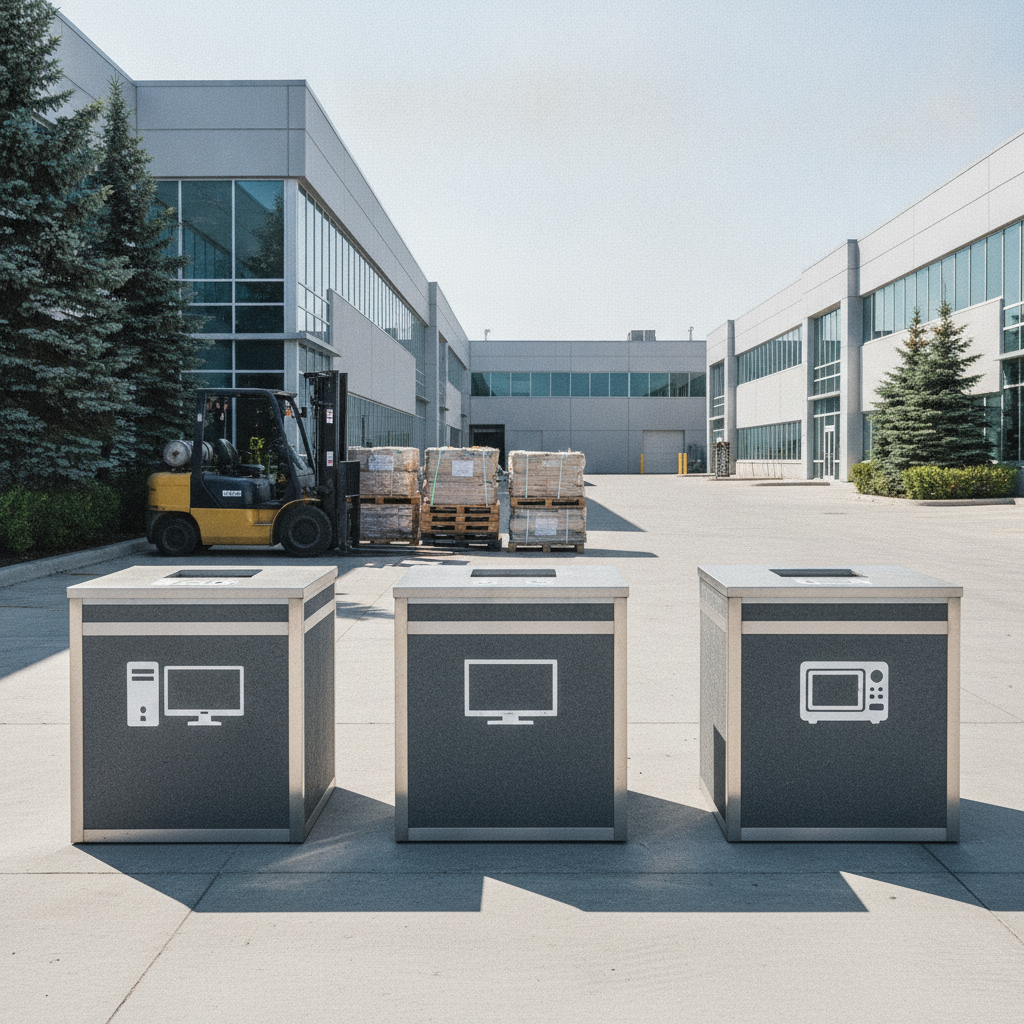
Scrapping electronics is the responsible dismantling, sorting, and recycling of devices like phones, computers, TVs, and appliances to recover valuable metals and safely handle hazardous parts. At Quick Scrap Metal, 407 Rexdale Blvd in Etobicoke, you can drop off e-waste for quick service and peace of mind that materials are kept out of landfills.
By Preet Dass • Quick Scrap Metal
Last updated: 2026-06-21
Summary
This guide explains what scrapping electronics is, why it matters for the environment and your space, and how to prepare, sort, and drop off items in Etobicoke. You’ll learn best practices, tools to use, what Quick Scrap Metal accepts, and how data security and safe handling make e-waste recycling easier.
Here’s what you’ll get in a fast, scannable format:
- Clear definition of scrapping electronics and how local drop-off works
- Step-by-step prep for computers, TVs, small appliances, and cables
- Safety, data-wiping, and battery-handling best practices
- What Quick Scrap Metal accepts at 407 Rexdale Blvd
- “Pricing” signals without dollar amounts, so you know what influences payouts
Table of contents
- What is scrapping electronics?
- Why scrapping electronics matters
- How scrapping electronics works
- Types of electronics and handling tips
- Best practices for e‑scrap
- Tools and resources
- Real-world examples
- Value drivers (“pricing” signals)
- Data security checklist
- FAQ
- Key takeaways & next steps
What is scrapping electronics?
Scrapping electronics is the process of collecting, preparing, and recycling electronic devices to recover metals like copper, aluminum, and steel while isolating hazardous components. The goal is simple: keep e-waste out of landfills, protect people and soil, and return valuable materials to manufacturing streams efficiently and safely.
Think of it as organized decluttering with environmental impact. Laptops, PCs, TVs, printers, stereos, and small appliances are common e-scrap. Many contain recyclable metals, reusable plastics, and boards with recoverable precious metals in trace amounts. Even low-value mixed plastics can be sorted for downstream processing.
At Quick Scrap Metal, we accept a wide range of electronics alongside ferrous and non‑ferrous metals. Our team keeps preparation simple: separate batteries, remove easily detachable cords when safe, and bring items to our Etobicoke yard for quick drop-off.
Why scrapping electronics matters
Scrapping electronics cuts clutter, conserves resources, and avoids harmful dumping. In Etobicoke and the Toronto metro, responsible e-waste recycling supports circular manufacturing, reduces mining demand, and keeps batteries and screens out of landfills where they can leach hazardous substances over time.
Here’s the thing: most electronics combine metals, plastics, glass, and small amounts of hazardous materials. Safely recovering copper and aluminum reduces the need to mine new ore, which lowers environmental impact and energy use. Removing batteries and isolating screens avoids accidental damage during transport and processing.
For households, one Saturday drop-off can clear years of forgotten tech. For contractors and small businesses, routine e-scrap runs free up storage and reduce safety risks from damaged cords or leaking batteries. It’s a small habit with compounding environmental returns.
How scrapping electronics works
The scrapping process is straightforward: gather and sort your items, remove or tape batteries, secure data, and bring everything to our Etobicoke yard. We weigh, classify, and route items to the right downstream streams so metals, plastics, and glass are responsibly recycled.
Step-by-step at Quick Scrap Metal
- Gather and group. Keep laptops, desktops, TVs, small appliances, cables, and batteries in separate boxes or bags.
- Remove or secure batteries. Pull out loose batteries. If they’re embedded, tape terminals or mark the device “battery inside.”
- Back up and wipe data. Sign out of accounts, then wipe or remove drives (details below).
- Quick prep. Detach power cords and accessories you don’t need. Keep removable stands with TVs to prevent screen stress.
- Drop off. Drive to 407 Rexdale Blvd. Our team unloads, sorts, and routes materials quickly so you’re on your way fast.
In our experience, a simple magnet and a couple of clear bins make home prep easy. A magnet helps you tell ferrous (magnetic) from non‑ferrous (non‑magnetic) metals. Two bins—“electronics” and “cords/batteries”—keep your car tidy and speed up unloading.
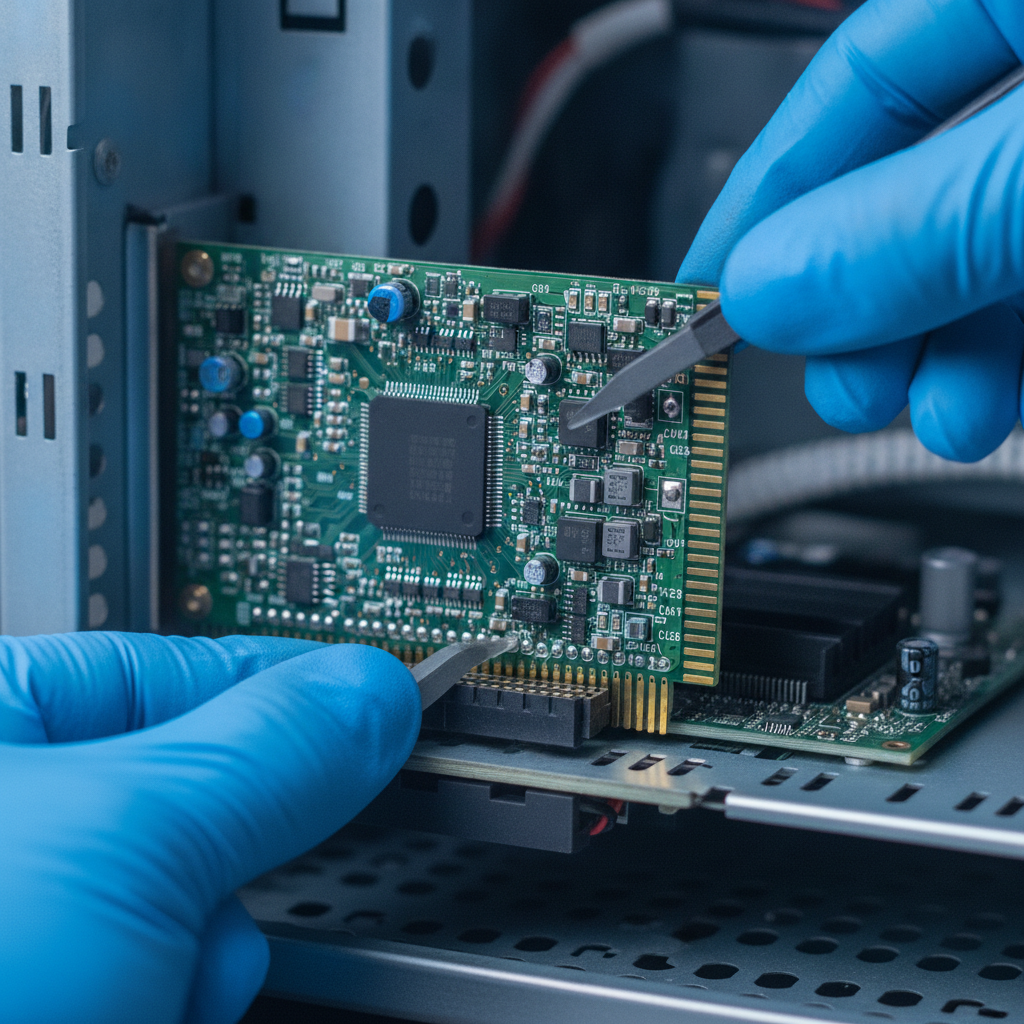
Want more detail on specific device streams? Our electronics recycling services in Etobicoke walk through what we accept and how we process typical household and office e-waste.
Types of electronics and handling tips
Different electronics call for different handling. Separate data-bearing devices, isolate batteries, and protect screens from pressure. Simple steps—like taping terminals and keeping cords coiled—reduce risk and speed up your drop-off at Quick Scrap Metal.
Computers and laptops
- Data-bearing parts: Hard drives and SSDs should be wiped or physically removed. Bring removed drives in a small bag if you’d like us to recycle them separately.
- Loose accessories: Keyboards, mice, webcams, and speakers can be bundled together with a reusable zip tie.
- Desktops: Leave power supplies and heat sinks in place; we’ll safely depopulate and route components after intake.
- Tip: See our computer recycling guide for a simple wipe checklist.
TVs and monitors
- Flat panels: Don’t lay heavy items on screens. Keep stands attached to distribute weight, or store upright against a soft surface.
- Legacy CRTs: Keep cables attached if possible; we’ll handle safe glass and leaded components during processing.
- Cords: Coil and rubber-band to prevent snags that can crack bezels or stress ports.
- Tip: If you’re unsure, our TV recycling guidance answers common questions.
Small appliances and electronics
- Kitchen counter items: Microwaves, coffee makers, toasters, blenders, and small A/C units are all accepted.
- Power tools and yard gear: Old drills, lawn mowers, and snow blowers often contain steel, copper, and motors useful for recycling.
- Tip: If it’s metal, we buy it—so mixed loads with small appliances and metals are welcome.
Cables and wire
- Separate by type: Ethernet, USB, power cords, and HDMI can be coiled and bundled. Heavier-gauge extension cords are welcome.
- Pro move: Keep a small tote labeled “cords” so you can add cables as you find them around the house or job site.
Batteries
- Remove where possible: Pull out AA/AAA, button cells, and other loose batteries.
- Lithium-ion: Tape terminals and place in a clear bag. Avoid punctures; never crush, bend, or disassemble batteries.
- Embedded packs: If a battery is built-in, do not pry it out. Mark the device and we’ll route it to safe handling.
For a quick overview of accepted items, scan our recycle electronics in Etobicoke page—updated regularly as new devices and handling guidance emerge.
Best practices for e‑scrap
Follow three rules: stay safe, protect data, and keep items organized. Wear gloves, isolate batteries, and wipe drives. A simple bin system—devices, cords, batteries—keeps your vehicle clean and drop-off fast at Quick Scrap Metal in Etobicoke.
Safety basics
- Gloves and eye protection: Avoid cuts from sharp chassis edges and stray wire strands.
- No prying batteries: If it’s glued or taped inside, leave it. We’ll handle it downstream.
- Lift smart: TVs over 40 inches are easier and safer to move with two people.
Efficient sorting
- Use stackable bins: One for devices, one for cords, one for batteries.
- Bundle accessories: Zip ties or reusable Velcro keep remotes and power bricks with their devices.
- Label embedded batteries: Mark “battery inside” with painter’s tape.
Local considerations for Etobicoke
- Weekend traffic near Woodbine Mall & Fantasy Fair can be busy; plan weekday evenings for quick in-and-out.
- Winter drops: pack devices to avoid condensation; let items reach room temperature before powering on again.
- Contractors working multiple GTA sites: batch small loads and make a single run to 407 Rexdale Blvd to save time.
If you’re combining e‑waste with metal offcuts, our scrap yard and junk removal guide shows how to stage mixed loads for fast unloading.
Tools and resources
You don’t need much to prep e‑scrap. A small toolkit, gloves, labels, and a magnet handle most tasks. Keep a phone note with a wipe checklist and a recurring reminder every 3–6 months to clear old electronics.
- Basic toolkit: Phillips/flat screwdrivers, small Torx bits, needle‑nose pliers.
- Safety: Work gloves, eye protection, painter’s tape for “battery inside” labeling.
- Sorting aids: Two or three stackable totes, reusable zip ties, permanent marker.
- Magnet: Quick ferrous vs. non‑ferrous check when you’re sorting mixed loads.
- Phone note: Keep a short “before drop-off” list: sign out, back up, wipe drive, remove batteries.
For larger cleanouts or time-sensitive moves, coordinated junk services can help stage material for recycling; see this overview of eco-friendly junk removal benefits for context on efficient, planet-first cleanouts.

Real-world examples
Three quick Etobicoke scenarios show how scrapping electronics works in practice: a homeowner TV drop-off, a contractor’s cord and tool cleanup, and a small office computer refresh with secure data handling. Each follows simple prep and fast unloading at 407 Rexdale Blvd.
Homeowner: one-TV, two-laptop drop
A resident near Flagstaff Park brought a flat-screen TV, two aging laptops, and a shoebox of cords. They taped two lithium-ion batteries and removed a third. At our yard, unloading took minutes. The data-bearing drives were separated for secure downstream handling, and cables were routed for copper recovery.
Contractor: end-of-job electrical offcuts
An Etobicoke contractor batched job-site cleanup into one Friday run: mixed metal offcuts, 40 pounds of cables, and a bin of broken tools. Grouping cords and isolating batteries made intake faster and safer. This is typical for tradespeople who value quick turnarounds and clear yards before Monday mobilization.
Small office: computer refresh cycle
A local business replaced 12 desktops and four monitors. They backed up data, removed drives for on-site wiping, and bundled accessories. We handled the rest—intake, sorting, and routing to approved downstream processors—freeing their storage room the same day with minimal disruption.
Value drivers (“pricing” signals)
Payouts depend on material mix, condition, preparation, and current metal markets. Without quoting prices, expect organized, battery-safe, and clearly sorted loads to move faster and align with the best value drivers at reputable yards like Quick Scrap Metal.
What influences e‑scrap value
- Material mix: Items with more copper, aluminum, and clean steel tend to align with stronger commodity value drivers.
- Preparation: Batteries taped or removed, cords bundled, and screens protected reduce risk and speed processing.
- Condition: Intact items are safer to move and less likely to cause issues at intake.
- Volume and consistency: Regular drops from businesses streamline classification and routing.
Process comparison table
| Item type | Key prep | Risk reduced | Typical routing |
|---|---|---|---|
| Laptop | Wipe/remove drive; tape battery | Data exposure; battery short | Board recovery; metals/plastics separation |
| Desktop PC | Wipe/remove drive; keep PSU in case | Data exposure; loose parts | Metal chassis; component depopulation |
| Flat-screen TV | Protect screen; keep stand attached | Panel cracks; pinch points | Glass, plastic, board routing |
| Mixed cables | Coil and bundle by type | Snags; trip hazards | Copper recovery streams |
| Small appliances | Remove loose batteries | Battery shorts; leaks | Metal recovery; plastics sorting |
Curious how electronics fit with broader scrap? Our e-waste recycling guide connects device prep with mixed-metal loads to speed your next run.
Data security checklist
Before you scrap computers, back up, sign out, and wipe or remove drives. Keep removed drives in a labeled bag for separate recycling. If you’re unsure how to wipe a drive, we can route it for downstream destruction after intake at our Etobicoke yard.
- Back up: Copy documents and photos to a drive or secure cloud.
- Sign out: Deauthorize services and remove saved Wi‑Fi networks.
- Factory reset: Use built-in reset tools when available.
- Drive wipe or removal: Wipe securely or remove the drive and place it in a small labeled bag.
- Peripherals: Bundle keyboards, mice, and webcams together.
If you’re offloading decommissioned office gear, a coordinated plan beats one-off trips. Pair a wipe checklist with scheduled drop-offs and, when needed, a reputable professional junk removal service to stage materials safely before recycling.
Frequently Asked Questions
These quick answers cover preparation, data security, batteries, and where to drop off electronics in Etobicoke. Each response is designed for fast voice or on-screen reading and links to more detailed guidance where helpful.
What does “scrapping electronics” include?
It includes collecting, preparing, and recycling electronics—like computers, TVs, small appliances, and cables—to recover metals and route hazardous parts safely. You sort items, secure batteries, protect screens, wipe drives, and drop off at a trusted yard like Quick Scrap Metal.
How should I handle batteries before drop-off?
Remove loose batteries and tape the terminals. For embedded packs, do not pry them out—mark the device “battery inside.” Place all batteries in a clear bag to keep them separate during unloading and sorting.
Do I need to wipe or remove hard drives?
Yes. Back up your data, then wipe or remove drives. Bring removed drives in a labeled bag for separate recycling. If you’re unsure how to wipe a drive, we can route it for downstream destruction after intake.
Where can I recycle electronics in Etobicoke?
Bring them to Quick Scrap Metal at 407 Rexdale Blvd. We accept computers, TVs, small appliances, cords, and more. Check our recycle electronics page for accepted items and preparation tips.
Key takeaways & next steps
Prepare electronics with safety and data in mind, keep batteries separate, and use simple bins for fast drop-offs. Quick Scrap Metal in Etobicoke makes scrapping electronics EASY | FAST | CONVENIENT—so you clear space and recycle responsibly in one trip.
- Scrapping electronics protects people and the planet while clearing clutter.
- Sort by category, tape battery terminals, and protect screens.
- Back up, sign out, and wipe or remove drives before you drop off.
- Mix e‑waste with metals in one run—“If it’s metal, we buy it!”
Ready to go? Swing by Quick Scrap Metal, 407 Rexdale Blvd (near HWY 27 & Rexdale). For larger cleanouts or scrap cars, coordinate staging first, then plan your run. If you’re dealing with an end‑of‑life vehicle, see regional options like scrap car disposal services before your electronics drop-off.