
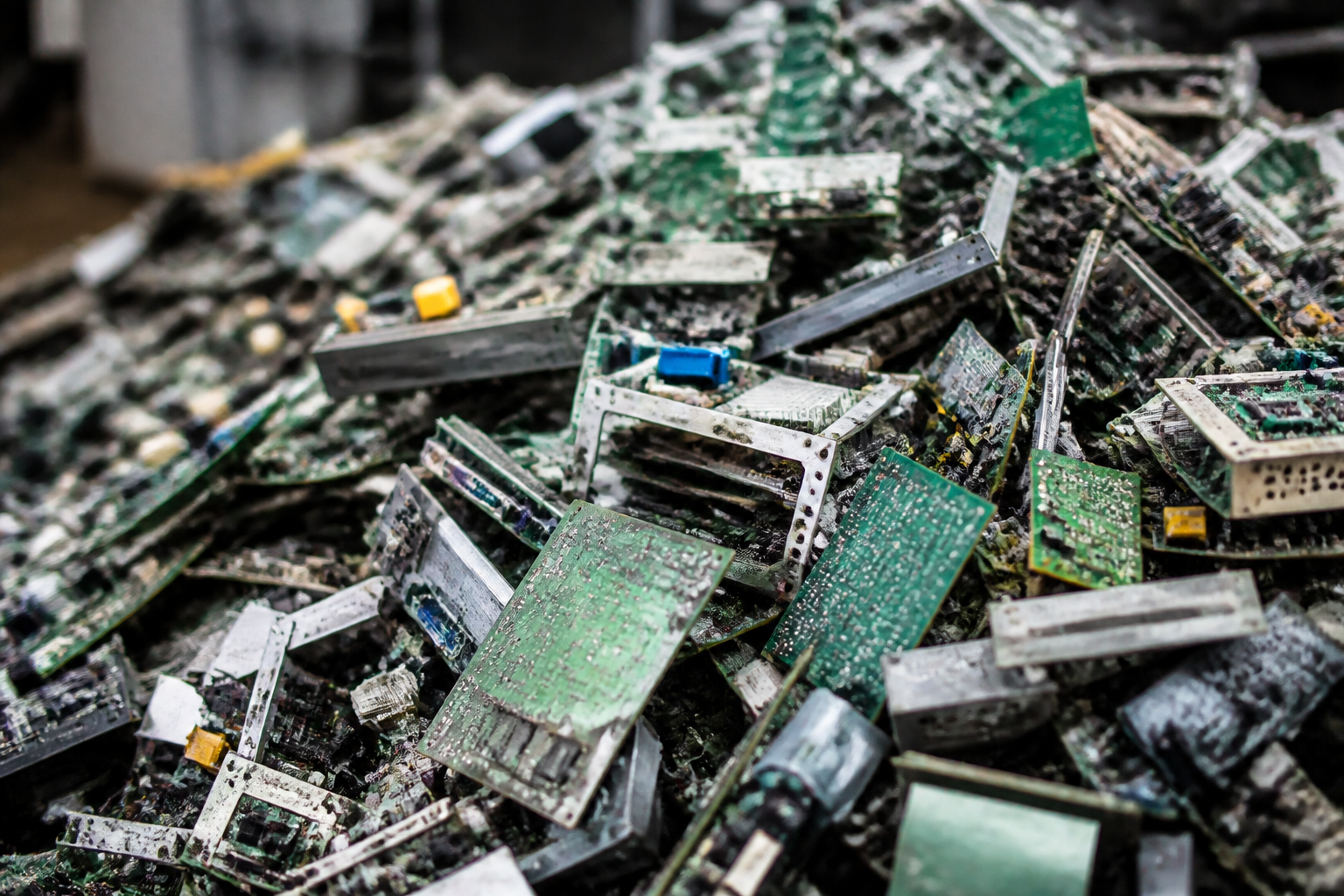
Searching for “electronic scrap recycling near me” usually means you have a growing pile of old phones, laptops, TVs, printers, cables, and power supplies that need a safe home. This guide walks you through what most drop-off locations tend to accept, how to prep devices (especially for data protection), what happens to materials after collection, and a practical checklist for an easier visit. You’ll also find ways to evaluate nearby recyclers and answers to common questions, so you can clear space at home or work with confidence.
What counts as electronic scrap (e‑scrap)?
Electronic scrap, sometimes called e‑waste, includes a wide variety of household and office electronics at the end of their useful life. Because many devices contain recoverable metals and components, responsible recycling keeps them out of landfills and puts materials back into circulation.
Common examples you’ll often be able to drop off include:
- Computers, laptops, and tablets
- Keyboards, mice, webcams, and other peripherals
- Televisions and monitors
- Blu‑ray/DVD players, game consoles, and streaming boxes
- Routers, modems, and small networking equipment
- Printers, scanners, and fax machines
- Cell phones, smart watches, and chargers
- Cables, wires, and power adapters
- Printed circuit boards (PCBs) and loose components
- Small household electronics like microwaves and range hoods
Some locations also accept items with mixed materials that overlap with metal recycling—think compressors, motors, and certain appliances—because of the metal content and recoverable parts. Always check the specific item list for your chosen drop‑off before visiting.
For added context on local options, see this overview of electronic waste recycling centers in the area, and browse related electronic waste articles for practical examples.
How to prep devices before drop‑off
Good preparation protects your data, speeds up your visit, and helps recyclers handle materials efficiently. Use this step‑by‑step approach:
-
Back up and remove accounts.
- Back up files and photos you still need.
- Sign out of cloud and device‑tracking services (e.g., “Find My” features) so the device isn’t activation‑locked.
-
Factory reset when possible.
- Use the system reset tools built into phones, tablets, and computers to remove personal data. For older computers, consider removing the drive entirely if you plan to destroy or keep it.
- If a device won’t power on, treat it as if it still contains sensitive data and handle accordingly.
-
Remove accessories and separate by type.
- Detach batteries you can remove safely, take out SIM and memory cards, and coil cords with elastic bands.
- Keep like items together—laptops with chargers, monitors with their power cables—to streamline weighing and sorting.
-
Check for hazardous or restricted items.
- Some drop‑offs have different streams for loose lithium batteries, CRT televisions, or broken glass. Pack these safely and ask at check‑in.
-
Label business or school equipment.
- If you’re bringing bulk items from an office or classroom, label boxes by device type (e.g., “Keyboards,” “Routers”) to cut sorting time.
What happens after you recycle your electronics?
After intake, recyclers typically sort items by category, safely depollute devices that contain hazardous parts, and recover valuable materials. While every operation differs, the overall flow often looks like this:
- Visual inspection and sorting: Items are checked for category, size, and special handling needs (e.g., batteries, CRTs).
- Depollution: Components like batteries and certain backlights are removed following safety guidelines to prevent contamination.
- Dismantling: Devices are manually or mechanically separated into plastics, metals, glass, and circuit boards.
- Material recovery: Components move to downstream processors. Metals from cables, motors, and PCBs can be refined for reuse in manufacturing.
- Documentation: For business pickups or larger drop‑offs, some recyclers provide weights by category or inventory summaries.
To see another example of how industrial recycling work is showcased in practice, explore this Rypac Metal Recycling project overview.
How to evaluate “near me” recyclers
Before you load your car or schedule a clean‑out, use this checklist to compare local options you’ve found through your “electronic scrap recycling near me” search:
- Accepted items list: Confirm your specific devices are accepted, especially older monitors, printers, or items with built‑in batteries.
- Handling of special items: Ask how they handle lithium batteries, broken screens, or unusually heavy equipment.
- Drop‑off process: Check whether you should sort ahead of time and if there’s a designated line for e‑scrap versus general metal.
- Documentation needs: For offices, ask about itemized weights and whether they can accommodate bulk pallets or staged unloads.
- Location and access: Confirm vehicle access, any size limits for trailers, and where to park during unloading.
- Contact method: Keep a phone number or website handy in case you have questions on arrival.
The clearer a recycler’s intake steps and accepted‑items list, the smoother your drop‑off experience will be.
Drop‑off day checklist
Use this quick list right before you head out:
- Devices are backed up, signed out of accounts, and factory‑reset where possible.
- Loose batteries are taped or bagged per recycler guidance, and separated from other items.
- Cables are coiled; accessories are grouped with their primary devices.
- Boxes are labeled by device type if you have multiple categories.
- Heavy or bulky items are staged near your vehicle’s door to shorten loading time.
- You have a plan for safe lifting or a second person for heavier items.
Office and small‑business cleanouts
If you’re clearing out an office, shop, or jobsite trailer, a bit of structure turns a chaotic pile into a smooth, one‑trip drop‑off. Consider the following approach:
- Inventory first: Make a simple list by category: laptops, desktops, routers, VoIP phones, monitors, printers, and accessories.
- Secure data: Assign one person to verify sign‑outs and factory resets, and to remove any drives you plan to retain.
- Palletize or box by type: Keep cords and adapters with their devices to avoid sorting delays later.
- Stage near loading area: Minimize long carries; use carts or dollies for stacked equipment.
- Confirm intake details: If you have unusual items (e.g., racks or UPS units), confirm how the recycler wants them prepared.
When everything is boxed and labeled, unloading and weighing are usually much faster—and you’ll be less likely to misplace accessories you meant to recycle.
Handling batteries and cables safely
Many devices now have embedded batteries. If your recycler accepts loose batteries, they may ask you to bring them packaged separately. Common tips include:
- Prevent short circuits: For loose lithium cells, cover terminals with non‑conductive tape and keep them in a separate, non‑metal container.
- Keep damaged cells isolated: If a battery is swollen, punctured, or leaking, avoid pressure on it and transport carefully. Ask your recycler for guidance in advance.
- Bundle cables and cords: Coiling and bundling keeps docks, adapters, and power bricks attached to their devices for easier sorting.
If your recycler does not accept certain batteries, ask for their preferred local handoff point or municipal program.
Understanding weights and categories
Recyclers often separate e‑scrap into categories like “computers,” “monitors,” “peripherals,” “cables,” and “PCBs.” Sorting at home reduces time on site and limits cross‑contamination between categories. If you’re bringing a mixed load—say, a box of keyboards, another of routers, a bin of chargers, and two monitors—place each group in clearly labeled containers. This organization can help with any documentation you request for your records.
FAQs
Do I need to remove my hard drive before recycling a computer?
You don’t have to, but many people choose to. If you’re confident with factory resets and account sign‑outs, you can leave the drive installed. If not, removing the drive and handling it separately is a common precaution. For formal data‑destruction requirements, consult a qualified professional.
What should I do with broken or cracked screens?
Pack them carefully to prevent cuts and glass shards from spreading. Some recyclers ask for screens to be separated from other items. Ask your chosen location how they prefer you to package cracked displays.
Can I mix small appliances with electronics in the same drop‑off?
Many drop‑offs accept both, but they may go to different intake lines or categories. Keep electronics (like laptops and routers) separate from appliances (like microwaves) unless your recycler specifically tells you to mix them.
Is it okay to recycle cables and power adapters without the original device?
Yes—cables and adapters are commonly accepted on their own. Bundle them neatly to speed up sorting.
How should I transport a swollen phone battery?
Handle it with care, avoid pressure or puncture, and place it in a separate, non‑metal container. Contact your recycler ahead of time for guidance. If in doubt, seek advice from a qualified professional.