
Last updated: October 2026
Searching for electronic scrap recycling near me usually means you have a pile of old technology taking up space at home, in an office, or in a work vehicle. The safest approach is to identify what you have, protect personal and business data, separate items that need special handling, and confirm the receiving location’s current policy.
This guide explains common accepted items, preparation steps, local decision factors, and what to ask before loading your vehicle. Quick Scrap Metal is located at 407 Rexdale Blvd in Etobicoke and serves customers across Toronto and the broader GTA, including Mississauga and Brampton.
What counts as electronic scrap?
Electronic scrap, often called e-waste, includes electrical or electronic equipment that is no longer wanted or usable. A nearby recycler may sort these materials into separate streams because devices contain different combinations of metals, plastics, glass, batteries, and circuit boards.
Common examples accepted by electronics collection sites can include:
- Desktop computers, laptops, servers, tablets, and smartphones
- Keyboards, mice, webcams, speakers, and other peripherals
- CRT, LCD, LED, plasma, and rear-projection televisions
- Computer monitors, printers, photocopiers, and multifunction printers
- Game consoles, DVD or Blu-ray players, and streaming equipment
- Routers, modems, phones, chargers, cables, and power adapters
- Uninterruptible power supplies, toner cartridges, and ink cartridges
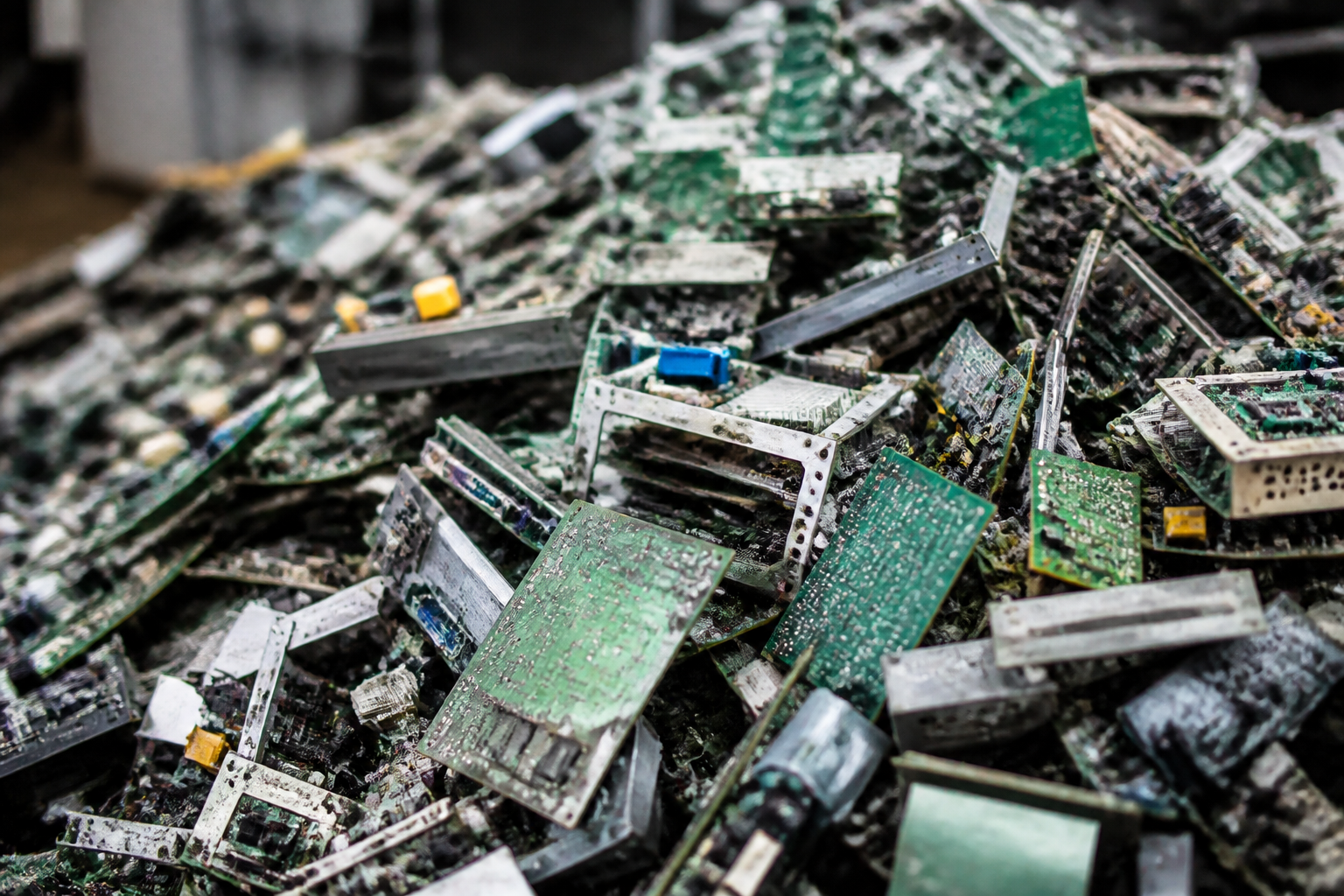
- Printed circuit boards and other electronic components
Quick Scrap Metal also handles a wide range of home appliances and scrap metals, but an appliance or unusual electronic item may follow a different intake stream. The published electronic waste recycling centre information can help you identify the appropriate local option before you go.
For a second source of practical examples, the company’s electronic waste articles cover related recycling topics. Because acceptance policies can change, call ahead when you have a large, damaged, unusually heavy, or battery-powered item.
How should you prepare electronics before drop-off?
Preparation protects your information and makes unloading easier. It is especially important when devices came from a business, school, medical office, or shared household.
- Back up files first. Copy photos, documents, contacts, and other information you still need to secure storage before resetting the device.
- Sign out of accounts and tracking services. Remove cloud accounts and disable features such as device tracking or activation locks so the equipment is no longer tied to you.
- Use the built-in reset function. Factory-reset phones, tablets, and computers when possible. A device that no longer powers on should still be treated as if it contains personal data.
- Decide what to do with storage drives. If the data is particularly sensitive, retain the drive or obtain professional data-destruction advice rather than relying only on a reset.
- Remove removable media. Check for SIM cards, SD cards, USB drives, and discs before placing the device in a box.
- Separate safe-to-remove batteries. Do not force an embedded battery out of a device. Ask the recycler how it wants loose, damaged, or swollen batteries handled.
What happens after electronics are dropped off?
Recyclers generally inspect and sort incoming material before sending it through appropriate processing streams. The exact process varies by facility and item, but it often includes the following stages:
- Intake and sorting: Items are grouped by category, size, condition, and special handling requirements.
- Depollution: Batteries and other components requiring controlled handling are separated before further processing.
- Dismantling: Equipment may be manually or mechanically separated into metals, plastics, glass, circuit boards, and other components.
- Downstream recovery: Suitable materials move to processors that recover usable metals and components for manufacturing supply chains.
- Documentation: Businesses bringing a larger load can ask whether weights, category summaries, or inventory records are available.
Recycling does not mean every part of every device is recovered at the same rate. Proper sorting still helps direct valuable materials away from disposal and keeps batteries, screens, and other special items in the appropriate stream.
How do you choose an electronic scrap recycler nearby?
A search result alone does not tell you whether a facility accepts your particular load. Before leaving Toronto, Etobicoke, Mississauga, Brampton, or another GTA community, confirm the details that affect your trip.
- Accepted items: Name the exact equipment, such as CRT televisions, servers, printers, UPS units, or loose circuit boards.
- Special handling: Ask about lithium batteries, cracked screens, toner, damaged equipment, and items that contain refrigerants or other restricted components.
- Drop-off logistics: Confirm where to park, whether staff assist with unloading, and whether a trailer or commercial vehicle has access restrictions.
- Business documentation: Ask about itemized weights, category summaries, or receipts if the material belongs to an office or organization.
- Payment expectations: Do not assume every electronic item is paid for. Confirm whether the material is purchased, accepted at no charge, or handled under another arrangement.
- Hours and current policy: Call before travelling because operating hours and accepted-item rules may change.
Quick Scrap Metal’s Etobicoke location at 407 Rexdale Blvd is convenient for customers in the GTA, and its broader service offering includes electronics, appliances, and scrap metals. A quick call is still the best way to confirm how your specific load should be prepared.
What should you bring on drop-off day?
Use this checklist before loading the vehicle:
- Backups are complete, accounts are removed, and devices are reset where possible.
- SIM cards, memory cards, and personal accessories have been removed.
- Cables and adapters are bundled with their devices or placed in a clearly labelled box.
- Loose batteries are separated and packaged according to the recycler’s instructions.
- Cracked screens and sharp parts are protected from movement and accidental contact.
- Boxes are labelled by category when the load includes many different devices.
- Heavy items are secured and a second person or suitable cart is available for lifting.
How should businesses handle an electronics cleanout?
An office cleanout is easier when data protection and material sorting happen before the equipment reaches the loading area. Assign one person to verify account removal and drive decisions, and another to organize the physical load.
- Inventory the equipment: Count laptops, desktops, monitors, phones, routers, printers, UPS units, and accessories.
- Separate retained assets: Remove devices or storage drives that must be kept for records, reuse, or formal destruction.
- Box by category: Keep peripherals, cables, monitors, and computers in separate labelled containers where practical.
- Stage safely: Use pallets, carts, or dollies for heavier equipment and avoid unstable stacks.
- Confirm the load: Send the recycler a short description of unusual items before arranging a larger drop-off.
This preparation reduces sorting time and makes it easier to request a record of what was delivered. It also helps prevent a reusable charger, drive, or accessory from being recycled accidentally.
How should you handle batteries, cables, and damaged devices?
Batteries require more care than ordinary cables or metal parts. For loose lithium batteries, prevent terminal contact with non-conductive tape and keep them separated in a suitable non-metal container, following the recycler’s instructions.
Do not puncture, crush, dismantle, or place pressure on a swollen, leaking, hot, or damaged battery. Keep it isolated, avoid unnecessary handling, and contact the receiving facility before transporting it so you can receive specific directions. A damaged screen should also be wrapped or secured to reduce the risk of cuts and loose glass.
Coil ordinary cables and group adapters by type. Neat bundles are easier to unload and help staff distinguish power cords, chargers, and other accessories from general scrap.
Why sort electronics by category?
Electronic scrap is not one uniform material. Computers, monitors, cables, circuit boards, printers, and appliances may have different handling requirements and may be recorded separately during intake.
For a mixed household load, use separate boxes for small electronics, cables, computer equipment, and screens. For a business load, a simple inventory with quantities and broad categories can make the handoff clearer. If you need weights or other documentation, ask about it before unloading rather than assuming it is automatically provided.
Frequently asked questions
Do I need to remove my hard drive before recycling a computer?
Not always, but removing the drive can be a sensible precaution when the computer contains sensitive information or cannot be reset. Back up needed files, sign out of accounts, and use a secure data-destruction process or qualified provider when your organization has formal requirements.
What electronics are commonly accepted at a local drop-off?
Commonly accepted items include computers, laptops, smartphones, tablets, televisions, monitors, printers, networking equipment, cables, circuit boards, and some UPS units. Acceptance varies by facility, so confirm unusual, damaged, battery-powered, or bulky items before travelling.
Can I bring cracked screens or swollen batteries?
Some facilities can handle them, but they may require separate packaging or advance instructions. Do not puncture or compress a swollen battery; isolate it and contact the recycler first. Protect cracked screens from movement and sharp edges during transport.
Does electronic scrap recycling always pay cash?
No. Payment depends on the material, current market conditions, facility policy, and whether the item has recoverable scrap value. Ask Quick Scrap Metal about your specific electronics and whether the load is purchased, accepted at no charge, or handled differently.
Plan your local electronics drop-off
Sort the load, protect your data, separate batteries and damaged items, and call ahead with a clear list of what you have. For current acceptance and drop-off guidance, contact Quick Scrap Metal before heading to the Etobicoke location.